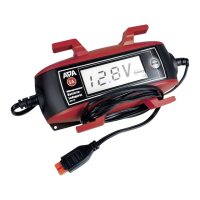
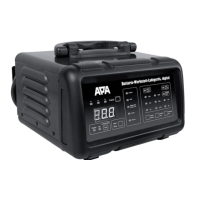
11
6.3 Preparation
6.4 Connecting the battery charger
Caution: Make sure that the charger is not connected to the power socket and that the adapter charging
cable is not connected to the battery charger.
Always connect the red plus cable (+) to the positive pole of the battery rst. Subsequently, connect the black
minus cable (-) to the negative pole of the battery. If you charge the battery in situ, connect the black negative
cable (-) to the car body (exposed part), far away from the battery, the carburettor and fuel lines. Always maintain
this sequence.
6.4.2 Connecting the adapter charging cable with eyes
Caution: Make sure that the charger is not connected to the power socket and that the adapter charging
cable is not connected to the battery charger.
Attach the eye of the red plus cable to the plus connection cable of your vehicle battery, e.g. the screws of the pole
terminal. Attach the eye of the black minus cable to the earth connection cable (minus cable) of your battery. Lay
the cable so that it is free from bends and tensions. It may not be attached in the vicinity of hot or rotating parts of
the motor. The connection plug may not get wet.
Element 1.pdf 1 25.01.19 10:55
Element 1.pdf 1 25.01.19 10:55
Element 1.pdf 1 25.01.19 10:55
6.5 Charging the battery
Caution: After plugging the mains cable inselect the desired charging pro- gramme by operating the
MODE button multiple times. If the MODE button is not pressed, the charging process is not started. When
charging has started it is no longer possible to switch to another charging program, If you wish to work with a
program other than the set charging program, pull the plug out of the socket and wait until the display has gone
dark. Then insert the plug again and proceed as described above.
Clean the battery poles to remove dust and corrosion residue.
Only for open batteries: Remove the plugs of the battery cells. Check the liquid level in the cells, consult the
operating instructions of your battery for more information. Replenish only sucient distilled water to ensure that
the minimum lling level is achieved. The liquid will expand during the charging process and the battery may
overow. Leave the cells of the battery open until the end of the charging process.
In the event of closed and maintenance-free batteries, please follow the instructions of the battery manufacturer
to the letter.
6.4.1 Connecting the adapter charging cable with pole callipers
Connect the adapter charging cable to the charging cable (Position D in the overview) of the battery charger. Now
connect the mains connection cable (Position A in the overview) of the battery charger to the power socket. The
background illumination of the display is activated.
If the battery has been connected incorrectly (wrong poles) or the charger has no contact, the following error mes-
sage appears on the display ˝Er1˝. If the error message ˝Er2˝ is shown, a defective 6 V battery has been connected,
this cannot be charged using the battery charger. If the battery has been correctly connected, the display shows the
current battery voltage and the symbol for the set charging programme.



 To Next Page
 Loading...