990-1599B Smart-UPS® VT 10-30 kVA, 208/220 V and XR Battery Enclosure Operation Manual 27
Network Management Card with
Environmental Monitor
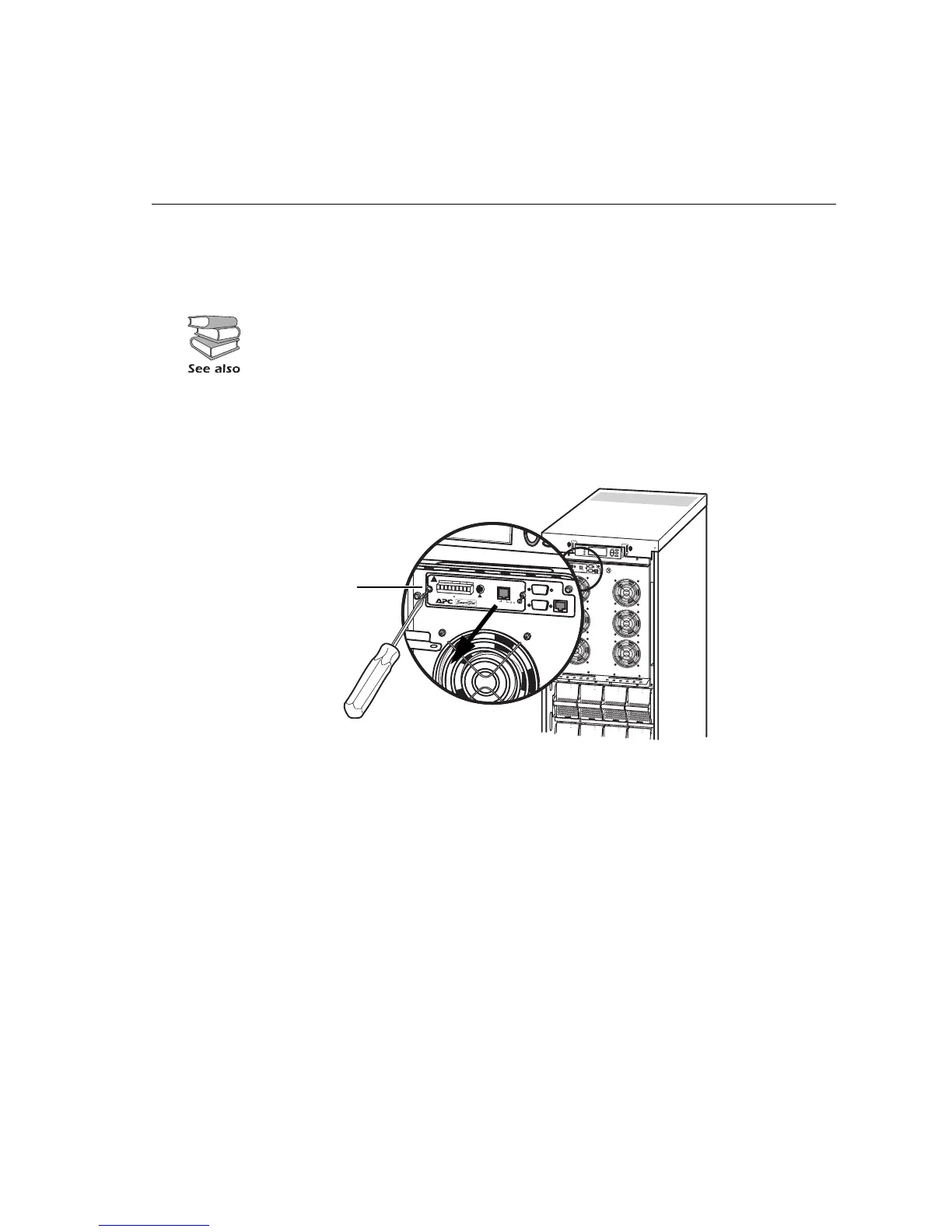
The APC Network Management Card with Environmental Monitor (AP9619) is installed in the UPS
as default. It is used for remote system control and monitoring, e-mail notifications etc.
Network Management Card replacement
Loosen the 2 torx screws (one each side of the card).
Carefully pull out the card.
Reversed procedures for installation.
For configuration and use, refer to the separate user manual - Network Management
Card with Environmental Monitor - shipped with the UPS.
1
0
/
1
0
0
B
a
s
e
-
T
P
r
o
b
e
A
P
9
6
1
9
N
e
t
w
o
r
k
M
a
n
a
g
e
m
e
n
t
C
a
r
d
E
M
!
R
e
s
e
t
O
u
t
p
u
t
P
w
r
Z
o
n
e
1
0
/1
0
0
Model:
S
e
r
ia
l:
BATTERY UNIT
Model:
S
e
r
ia
l:
BATTERY UNIT
Model:
S
e
ria
l
:
BATTERY UNIT
Model:
S
e
ria
l:
BATTERY UNIT
Model:
S
e
ria
l
:
BATTERY UNIT
Model:
S
e
ria
l:
BATTERY UNIT
Model:
S
eria
l:
BATTERY UNIT
Model:
S
e
ri
a
l:
BATTERY UNIT
10
/1
00
B
a
s
e-T
P
ro
b
e
AP9619 Network Management Card EM
!
R
e
s
e
t
O
utp
u
t
P
w
r
Z
o
n
e
10
/1
0
0



 To Next Page