Operation – Battery Replacement
990-1599B Smart-UPS® VT 10-30 kVA, 208/220 V and XR Battery Enclosure Operation Manual 29
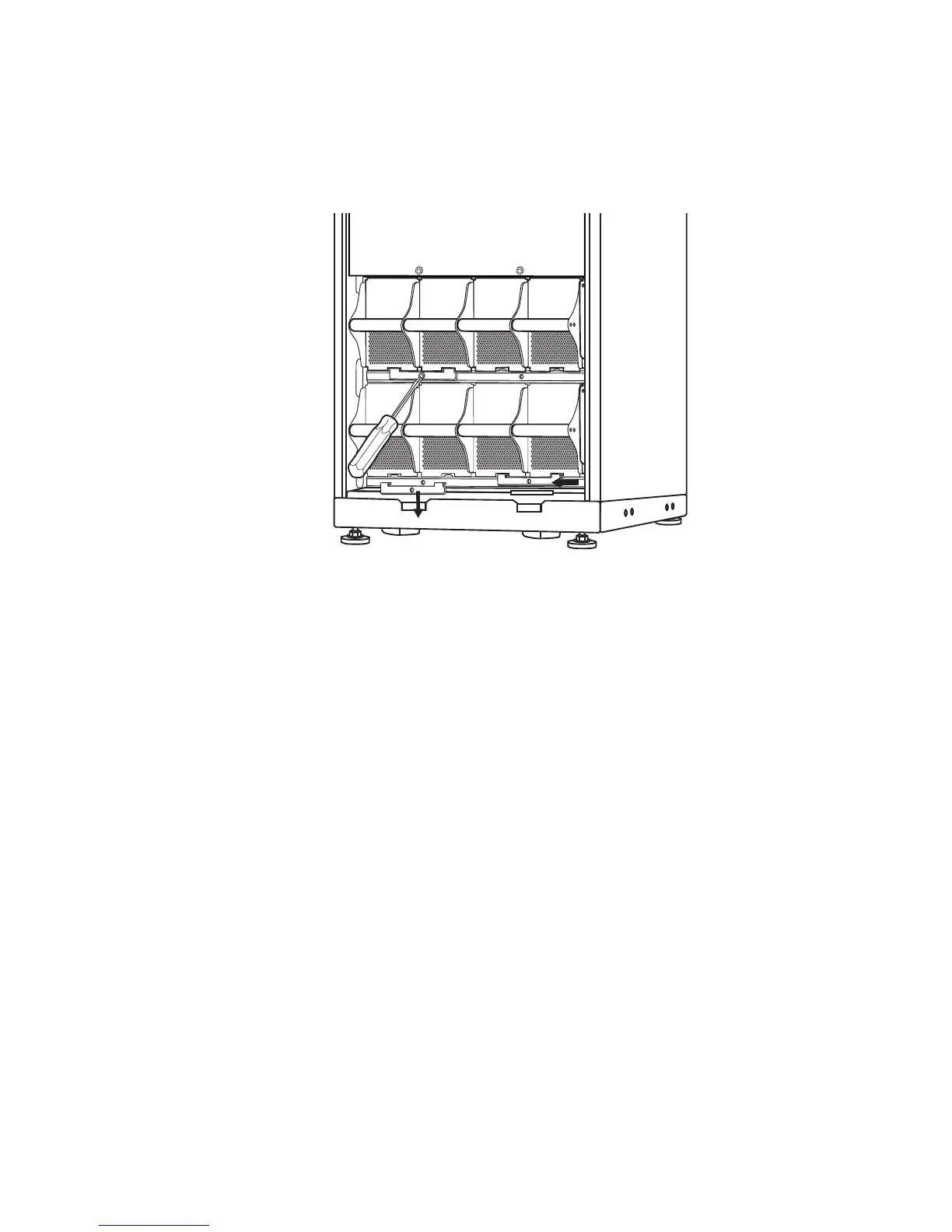
Removal and installation of Battery Locks (if applicable)
If your system is equipped with Battery Locks, follow the below procedure to remove the Battery
Locks.
Remove the M3 screw attaching the Battery Lock to the shelf.
Push the Battery Lock to the left, push it upwards and remove.
Use reversed procedures for installation of Battery Locks.



 To Next Page