Operation – Battery Replacement
990-1599B Smart-UPS® VT 10-30 kVA, 208/220 V and XR Battery Enclosure Operation Manual 31
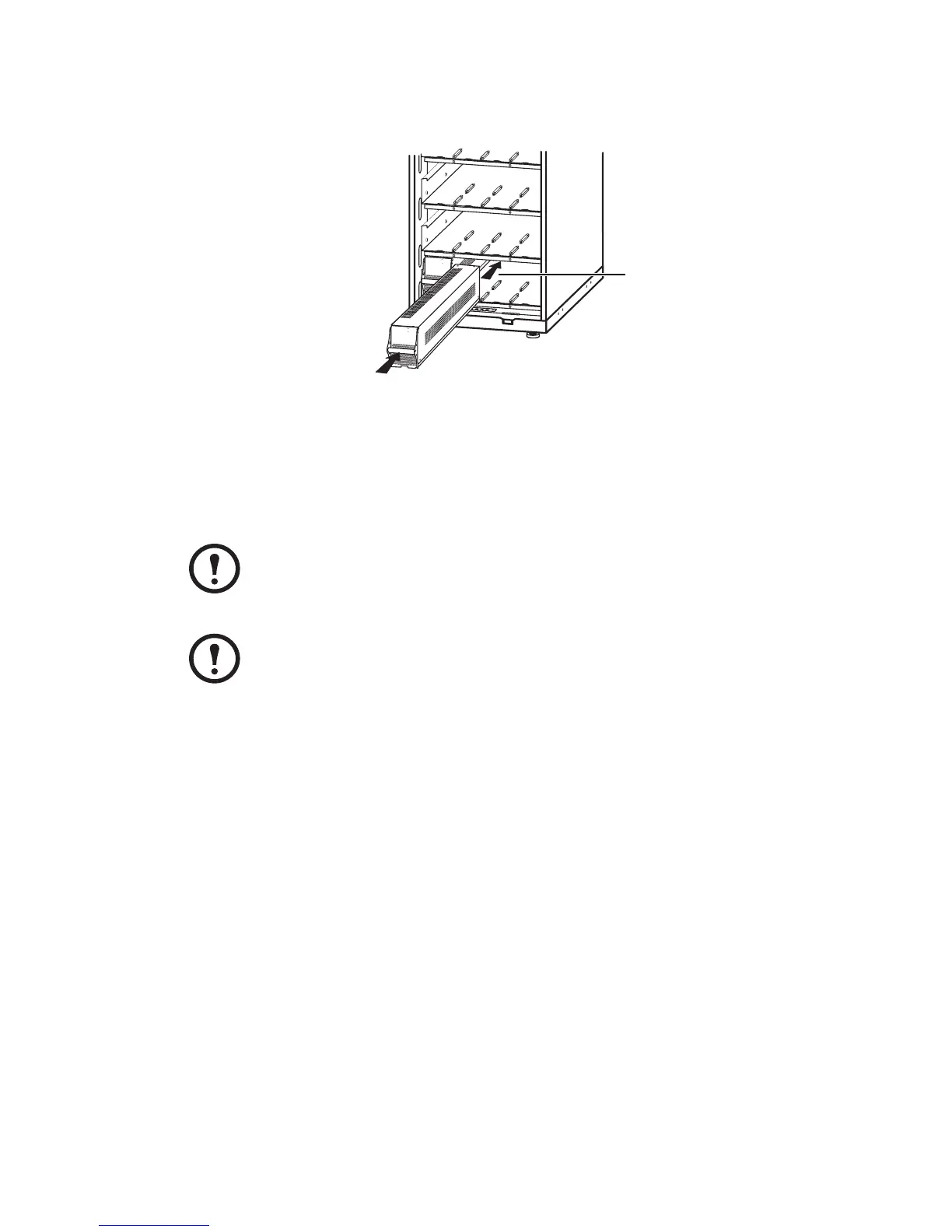
Install the Battery Modules in the lowest available bay (4 across in 20.59inch/523mm UPS
versions, 2 across in 13.85inch/352mm UPS versions).
Position the Battery Unit to slide in between the grooves and push completely into the UPS to
ensure connection.
Note
If a problem is reported, ensure that the modules in question are correctly installed. If the
problem persists, refer to the Troubleshooting section of this guide.
Note
Allow for a 24-hour recharging period of the batteries after system start-up / battery
replacement for battery monitoring data to become fully reliable.
M
o
d
e
l
:
S
e
r
i
a
l
:
BATTERY UNIT
Mo
d
el:
S
e
ri
a
l:
B
A
T
T
E
R
Y
U
N
I
T
UPS / XR



 To Next Page