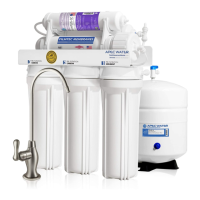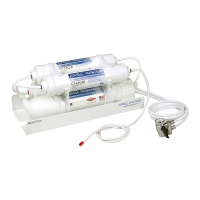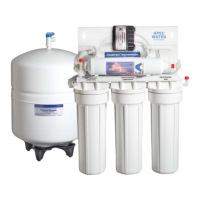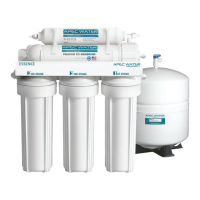

 To Next PageTo Next Page
 Need help?
Do you have a question about the APEC ESSENCE RO Series and is the answer not in the manual?
 General
| Brand | APEC |
|---|---|
| Model | ESSENCE RO Series |
| Category | Water Filtration Systems |
| Language | English |
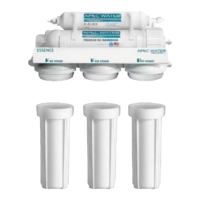
Turn off water supply, close tank valve, and relieve pressure by opening RO faucet.
Use wrench to open housings clockwise. Discard old filters, wash housings with soap, and rinse.
Insert new filters: sediment in Stage-1, carbon block in Stages 2 & 3.
Ensure O-rings are in place and tighten housings. Turn on water supply and tank valve.
After restoring water, carefully inspect all connections for any signs of leaks.
Turn off water supply, close tank valve, and relieve system pressure.
Remove tubing from membrane housing. Open the housing by turning counter-clockwise.
Remove old membrane. Insert the new membrane with the double-ring end first.
Close housing, reconnect tubing. Turn on water and drain first two tanks to flush.
Push and hold the collet ring to disconnect tubing from the filter for specific models.
Rinse Tee fitting ports and the new filter's open port with mild bleach solution.
Attach the new filter, ensuring the flow arrow points correctly. Reconnect tubing.
After installation and reconnecting, perform a thorough check for any leaks.
Attach new filter, align flow, reconnect tank tubing and output tubing to correct points.
Attach new filter, align flow, and reconnect tubing back to the new filter points.
Ensure all tubing connections are secure and check for leaks after installation.
Turn off water supply, close tank valve, and relieve system pressure.
Remove outlet tubing at P, then inlet tubing at O. Remove and discard the old filter.
Remove end plugs from the new PH filter. Connect tubing to points O and P, checking flow.
Unplug the light transformer. Disconnect the transformer and UV light adaptors.
Use a flat screwdriver to gently extract the old bulb. Insert the new bulb securely.
Reconnect the 2 adaptors. Power the transformer to complete the replacement.