EasyManua.ls Logo

Apera Instruments PH1 - User Manual

Apera Instruments PH1
8 pages
Print Icon
To Next Page IconTo Next Page
Loading...
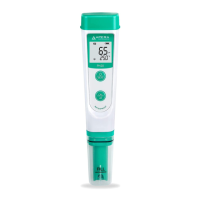
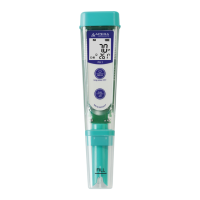
PH1 Value pH Tester Kit
User Manual
APERA INSTRUMENTS (Europe) GmbH
www.aperainst.de
v 5.1

Questions and Answers

  • H
    Hannah VargasJul 29, 2025
    Why is my Apera Instruments PH1 Test Equipment calibration successful, but the reading is not accurate?
    • A
      Allison MillerJul 29, 2025
      If your Apera Instruments Test Equipment's calibration is successful but the reading is inaccurate, it could be due to several reasons. The probe might be aged and need replacement. Air bubbles around the sensor can interfere with readings, so give the solution a quick stir to remove them. A clogged junction can also cause inaccurate readings; clean the probe with Apera probe cleaning solution and soak it in Apera 3M KCL soaking solution overnight. If you are comparing with other testers, calibrate all testers in the same pH 7.0 solution, then test in pH 4.0. The one that gives a more accurate reading is the most accurate. Note that test strips or drop tests are not comparable to pH meters.
  • T
    Timothy BrownAug 4, 2025
    What to do if the reading keeps jumping on my Apera Instruments PH1?
    • C
      Cindy TorresAug 4, 2025
      If the reading on your Apera Instruments Test Equipment keeps jumping, there are a few potential causes. Ensure that the probe is fully immersed in the solution, at least 1 inch deep. Air bubbles around the sensor can also cause fluctuations, so stir the solution to remove them. Also, check the probe's connector to ensure it's properly connected and not broken. Align the probe and instrument correctly before plugging it in, and avoid forcing it. Make sure that the probe connector is not exposed to air for too long.
  • L
    Laura WoodAug 10, 2025
    Why is the reading always slowly changing on my Apera Instruments PH1?
    • D
      David ClarkAug 10, 2025
      If the reading on your Apera Instruments Test Equipment is always slowly changing and won’t stabilize, it could be due to a contaminated sensor, in which case you should use a soft brush to clean the probe with Apera probe cleaning solution or detergent water. It may also be due to a clogged junction; clean the probe with Apera probe cleaning solution or detergent water, then soak it in Apera 3M KCL soaking solution overnight. An aged probe can also cause this issue, requiring replacement of the tester. If you're testing low ionic strength solutions like tap, drinking, RO, or distilled water, be patient and wait 1-5 minutes for a fully stabilized reading. If it's still not stabilizing, add Apera 3M KCL solution to the test water at a 1:1000 ratio.
  • R
    Robert ColeAug 16, 2025
    What to do if Apera Instruments PH1 displays similar readings in any solutions?
    • P
      Peter AdamsAug 16, 2025
      If your Apera Instruments Test Equipment displays similar readings in any solution or always displays 7.0 pH, it could be due to a broken probe. If there's no visible damage, contact Apera for warranty fulfillment. If there is visible damage or the probe is more than 6 months old, replace the tester. This issue may also indicate an instrument defect, in which case you should contact Apera for warranty fulfillment.
  • D
    Destiny CooperNov 20, 2025
    How to troubleshoot calibration issues on Apera Instruments Test Equipment?
    • E
      Erica NavarroNov 20, 2025
      If you cannot calibrate your Apera Instruments Test Equipment, several factors could be the cause. If the device shows 'Er2', you might be pressing too soon; wait for the icon to stay on the screen before pressing. 'Er1' indicates poor quality standard solutions, so replace them with fresh, clean calibration solutions from legitimate scientific instrument manufacturers. A contaminated sensor (Er1) requires cleaning with a soft brush and Apera probe cleaning solution or detergent water. An incorrect calibration order (Er1) necessitates a reboot and calibrating pH 7.0 first, then pH 4.0. A broken probe (Er1) may require contacting Apera for warranty or replacing the tester if visibly damaged. A dried-out probe (Er1) should be soaked in Apera 3M KCL solution for at least 15 minutes. Ensure th...

Summary

General Introduction

pH Probe Features

Details the Apera pH probe's lithium glass membrane, fast response, and automatic temp. compensation.

Probe Cap Information

Explains probe cap moisture, fill line for soaking/sample solution, and refers to storage section.

Preparation Before Use

Calibration Process

Calibration Notes

Important points for calibration: sequence, error codes, buffer solution usage, and tester recognition.

Measurement Procedure

Pure Water pH Measurement

Guidance for testing pure water, including stabilization time and additive recommendations for accuracy.

Parameter Setting

Parameter Setting Tutorial

Step-by-step instructions for entering parameter settings and making changes using the tester buttons.

Technical Specifications

Probe Cleaning

Probe Storage

Troubleshooting Guide

Battery Replacement

Warranty Information

Apera Instruments PH1 Specifications

General IconGeneral
TypepH Meter
pH Range-2.00 to 16.00 pH
pH Resolution0.01 pH
pH Accuracy±0.01 pH
mV Resolution1 mV
DisplayLCD
Power4 x 1.5V AAA batteries
mV Accuracy±1 mV
Temperature Resolution0.1 °C
Temperature Accuracy±0.5 °C
Temperature CompensationAutomatic
CalibrationUp to 3 points

Related product manuals