EasyManua.ls Logo

Apex Digital 9S-005720 - User Manual

Default Icon
72 pages
Print Icon
To Next Page IconTo Next Page
Loading...
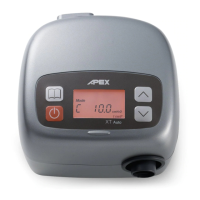
XT Auto
Users Manual

Questions and Answers

Summary

IMPORTANT SAFEGUARDS

Product Description

Installation

Setting Up

Step-by-step guide for connecting the power cord, tubing, and mask.

Operation

Control Panel Description

Details the buttons and their functions on the CPAP device's control panel.

Function Description

Explains how to get started and use the device's various functions.

Menu Button - Option Descriptions

Describes the options available through the MENU button for device settings.

Using the SD Card to Collect Data

Cleaning & Maintenance

Troubleshooting

Technical Specifications

Servicing

Limited Warranty

Summary

IMPORTANT SAFEGUARDS

Product Description

Installation

Setting Up

Step-by-step guide for connecting the power cord, tubing, and mask.

Operation

Control Panel Description

Details the buttons and their functions on the CPAP device's control panel.

Function Description

Explains how to get started and use the device's various functions.

Menu Button - Option Descriptions

Describes the options available through the MENU button for device settings.

Using the SD Card to Collect Data

Cleaning & Maintenance

Troubleshooting

Technical Specifications

Servicing

Limited Warranty

Apex Digital 9S-005720 Specifications

General IconGeneral
BrandApex Digital
Model9S-005720
CategoryMedical Equipment
LanguageEnglish

Related product manuals