EasyManua.ls Logo

Apex Digital XT Prime - User Manual

Apex Digital XT Prime
24 pages
Print Icon
To Next Page IconTo Next Page
Loading...
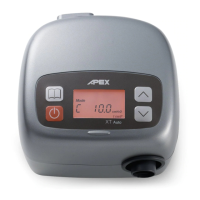
XT Prime
CPAP System
Instruct ion Manual
Model No.: 9S-005580 Please read the instruction manual before use.

Questions and Answers

  • M
    Melissa ChenAug 2, 2025
    How to fix Apex Digital XT Prime with no display?
    • J
      Jean MaldonadoAug 2, 2025
      If your Apex Digital Medical Equipment's display is not working, first ensure the power cord is properly connected to the power socket. If the problem persists, it may be due to LCD or controlled PCB failure, in which case you should contact your equipment provider for repair.
  • P
    parsonsdebraAug 7, 2025
    What to do if air delivered is slow in Apex Digital XT Prime?
    • R
      Robert AndersonAug 7, 2025
      If the air delivered by your Apex Digital Medical Equipment is slow, check the ramp time setting first. Also, the filter may be too dirty, so change or clean it regularly. If neither of these resolves the issue, the flow generator may have failed, requiring you to contact your equipment provider for repair.
  • M
    Matthew HoffmanAug 12, 2025
    Why can't I copy data to the SD card in my Apex Digital XT Prime Medical Equipment?
    • S
      Sandra CostaAug 12, 2025
      If you are unable to copy data to the SD card using your Apex Digital Medical Equipment, first ensure the SD card has enough capacity. Next, verify that the SD card is correctly inserted into the slot. If the issue continues, the data on the SD card may be corrupted, and you should format the card.
  • J
    Justin BarrAug 17, 2025
    What to do if display code is incorrect on Apex Digital Medical Equipment?
    • S
      skinnerheatherAug 17, 2025
      If the display code on your Apex Digital Medical Equipment is incorrect, this may indicate LCD failure or controlled PCB failure. In this case, you should contact your equipment provider for repair.
  • Z
    zjohnsonAug 22, 2025
    What to do if buttons are disabled on Apex Digital Medical Equipment?
    • C
      Chad MeyerAug 22, 2025
      If the buttons on your Apex Digital Medical Equipment are disabled, it could be due to button failure. Contact your equipment provider for repair.
  • C
    Carolyn CastilloAug 27, 2025
    Why is the illuminant under LCD not on in my Apex Digital Medical Equipment?
    • W
      westamyAug 27, 2025
      If the illuminant under the LCD is not on in your Apex Digital Medical Equipment, it may be due to LED failure. Contact your equipment provider for repair.

Summary

Important Safeguards and Warnings

Critical Safety Warnings

Details critical safety warnings for device operation and user protection.

Safety Precautions and Dangers

Device Precautions and Hazards

Lists cautions, dangers, and warnings to prevent damage or injury.

1.2 Intended Use

2. Product Description

3. Installation

3.2 Setting Up the Device

Step-by-step guide for connecting the power, tubing, and mask.

4. Operation

4.1 Control Panel Operation

Explains the primary function of each button on the control panel.

4.2 Getting Started and First Use

4.3 Menu Button - Option Descriptions (Part 1)

4.3 Menu Button - Option Descriptions (Part 2)

6. Using the SD Card for Data Collection

7. Cleaning and Maintenance

7.3 Air Filter Maintenance

8. Troubleshooting Common Issues

Error and Warning Messages

9. Technical Specifications

Apex Digital XT Prime Specifications

General IconGeneral
BrandApex Digital
ModelXT Prime
CategoryMedical Equipment
LanguageEnglish

Related product manuals