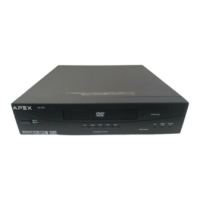
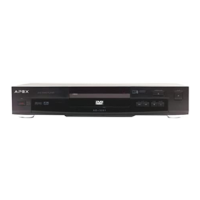
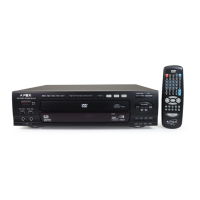
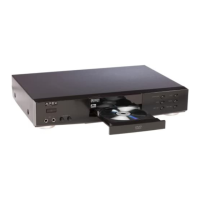
APEX DIGITALAD-1225
5
Table of Content s
Identification of Controls
FRONT PANEL
REAR PANEL
1
2
1 POWER ON/OFF
2 DISC TRAY
3 REMOTE SENSOR
4 DVD INDICATOR LIGHT
5 MP3/CD/JPEG INDICATOR LIGHT
6 PICTURE CD INDICATOR LIGHT
7 STOP
8 PLAY
9 OPEN/CLOSE
10 POWER INDICATOR LIGHT
1
5
6
7
8
1 COMPOSITE VIDEO OUTPUT
2 ANALOG AUDIO OUTPUT R
3 ANALOG AUDIO OUTPUT L
4 DIGIT AL AUDIO-COAXIAL OUTPUT
5 S-VIDEO OUTPUT
5
4
6
9 8 7
3
10
9
2
3
4
6 COMPONENT VIDEO OUTPUT Y
7 COMPONENT VIDEO OUTPUT Pb
8 COMPONENT VIDEO OUTPUT Pr
9 DIGIT AL AUDIO-OPTICAL OUTPUT
Safety Precautions..................................................................1
Safety Information...................................................................2
Introduction..............................................................................4
Notes On Discs........................................................................4
Identification of Controls..........................................................5
Remote Control........................................................................6
Connecting to a TV..................................................................8
Connecting to Optional Equipment..........................................9
AFF Function...........................................................................1 1
Playing Back a Disc.................................................................1 1
Locating a Specific T itle, Chapter or T rack..............................13
Playing Repeatedly..................................................................14
Playing in Random Order........................................................15
Zooming a Picture...................................................................15
Using the On-screen Display...................................................15
Playing in a Favorite Order ......................................................16
Selecting Subtitles...................................................................16
Selecting the Camera Angles/Language/AudioSettings..........17
WMAOperation.......................................................................17
MP3 Operation........................................................................18
W orking with Y our JPEG Files.................................................18
Playing Back Y our Kodak Picture CD.......................................19
Memo On Output Sounds.......................................................19
Setting the Parent al Lock........................................................20
Customizing the Function Settings..........................................21
S pecifications..........................................................................22
T roubleshooting Guide............................................................23
Limited Warranty ......................................................................24



 To Next Page
 Loading...