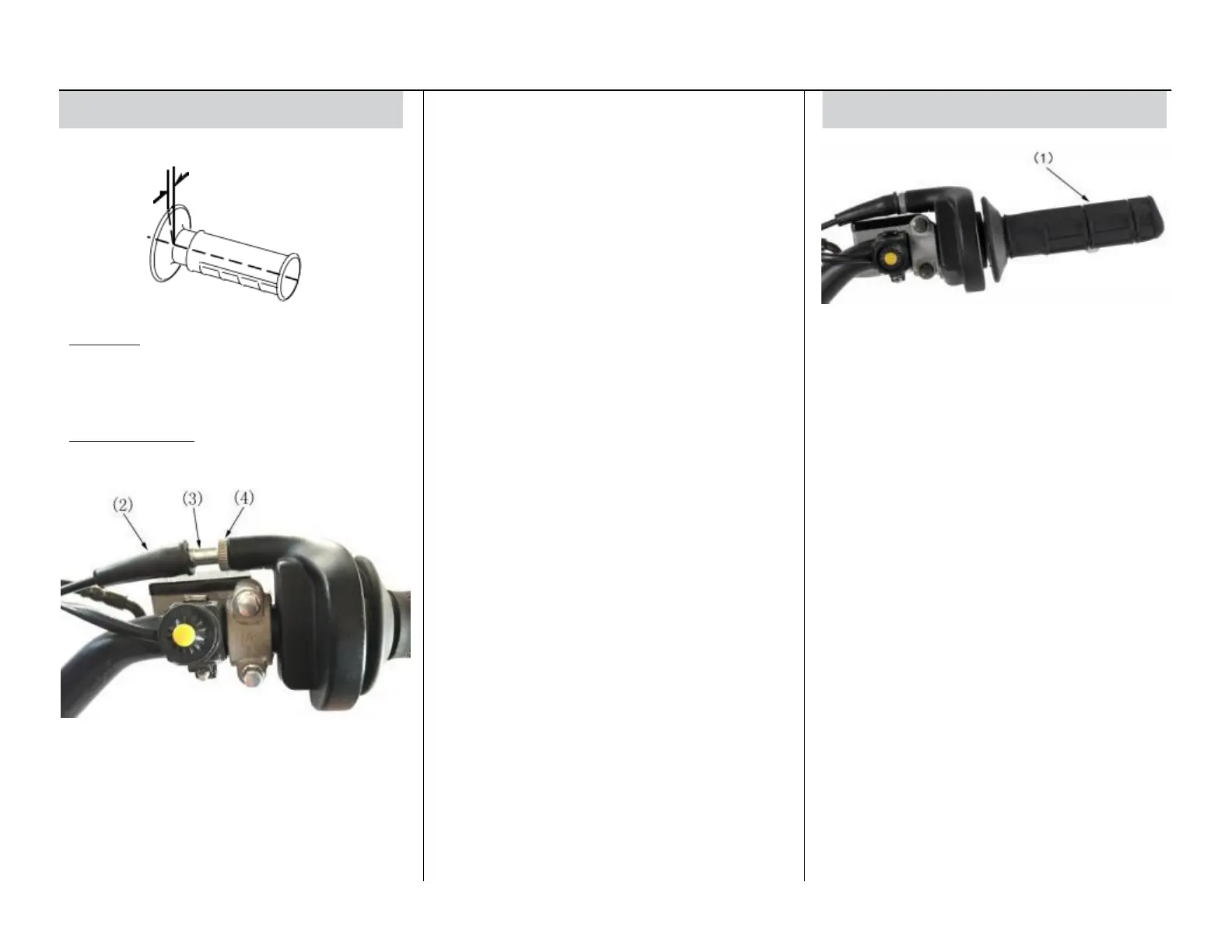
Throttle
1. Pull the dust cover (2) back.
2. Loosen the upper lock nut (4).
3. Turn the upper adjuster (3).
Turning the adjuster in clockwise direction
will decrease freeplay and turning it in
counterclockwise direction will increase
freeplay.
4. Tighten the lock nut. Return the dust cover
to its normal position.
5. After adjustment, check for smooth rotation
of the throttle grip from fully closed to fully
open in all steering positions.
If the adjuster is threaded out near its limit
or the correct freeplay cannot be reached,
turn the adjuster all the way in and back out
one turn. Tighten the lock nut, install the
dust cover and make the adjustment with the
lower adjuster.
Service Procedures 19
(1) throttle
1. Check that the throttle assembly is positioned
properly and the securing bolts are tight.
2. Check for smooth rotation of the throttle (1)
from fully open to fully closed in all steering
positions. If there is a problem, see your
motorcycle dealer.
3. Inspect the condition of the throttle cables
from the throttle grip down to the carburetor. If
the cable is kinked or chafed, have it replaced.
4. Check the cables for tension or stress in all
steering positions.
5. Lubricate the cables with a commercially-
available cable lubricant to prevent premature
rust and corrosion.
Inspection
Check freeplay (1).
Freeplay: 1/8 - 3/16 in (3 - 5 mm)
If necessary, adjust to the specified range.
Upper Adjustment
Minor adjustments are generally made with the
upper adjuster.
(2) dust cover
(3) upper adjuster lock nut
(4)upper lock nut



 To Next Page