1. Once the batteries are installed, the meter will automatically make a measurement every 3 minutes, whether
the screen is on or off.
2. Place the meter in the location you would like to measure and leave it there for the desired measurement
duration. See DEPLOYMENT AND INSTALLATION on page 10 for more information.
1. Turn on the display by pressing the button one time, which shows the current measurement.
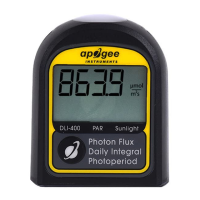
2. Press the button one more time. Three numbers will appear on the display (shown in the photo). The first
number (bottom left of the display) indicates the day in which the data were collected (0 days ago is today, 1 day
ago was yesterday, and so on). The second and third numbers are the DLI and photoperiod in the top right and
bottom right corners, respectively.
3. Press the button repeatedly to cycle through all previously collected days and return to the live data view.
Notes:
• The meter will only display days in which data were collected.
• Press the button once to return to the live data view.


 To Next Page