Apogee ClipMic digital 2 - User’s Guide
Final Cut Pro Record Voiceover
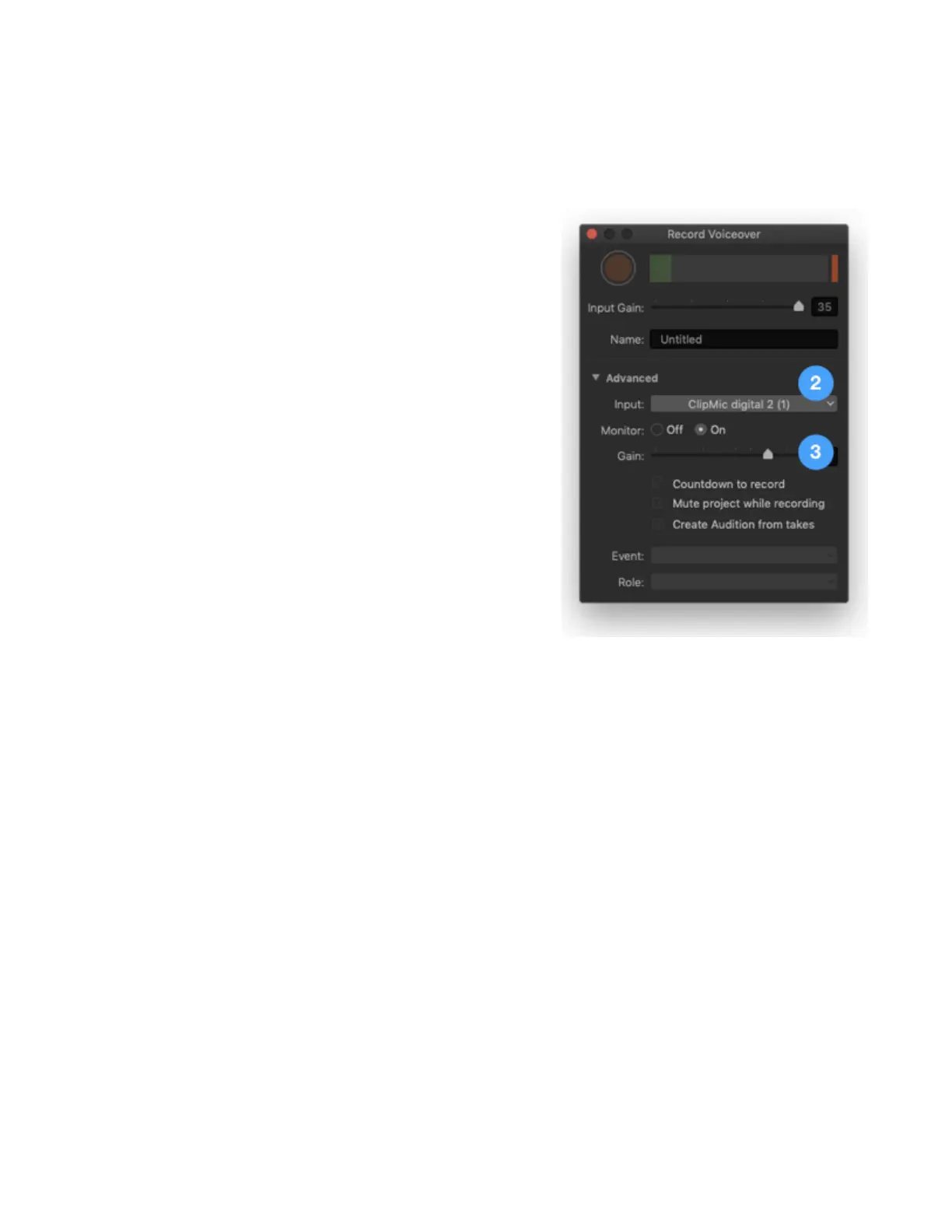
Within the Final Cut Pro app is a specialized window for recording voiceovers for your video, and
ClipMic digital 2 is the perfect mic for the job.
1. In Final Cut Pro, choose Window > Record
Voiceover.
2. In the Record Voiceover window, open the Advanced
disclosure triangle, then choose ClipMic digital 2 in
the Input dropdown menu.
3. Set ClipMic’s Input Gain using the Gain slider.



 To Next Page