Apogee ClipMic digital 2 - User’s Guide
Download Software
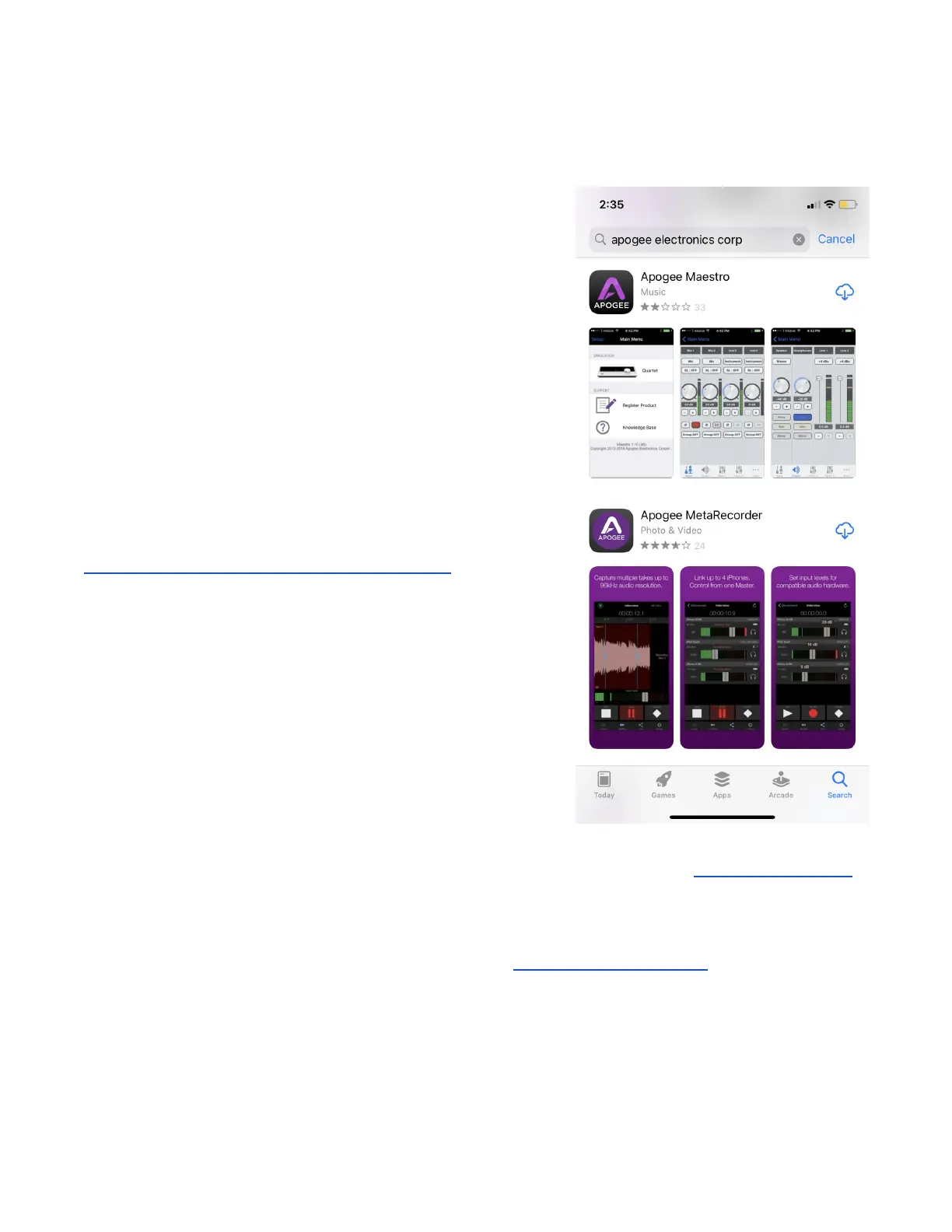
To download Apogee software for iOS, open the Apple App
Store on your iPhone/iPad and search “Apogee Electronics”.
Two apps are available:
Apogee Maestro - Apogee Maestro offers control of ClipMic
digital settings, including Input Gain and DSP Processing. No
video or audio recording is provided by the app.
Use Apogee Maestro when recording to video and audio apps
like Camera, Voice Memos, GarageBand, Filmic Pro, Mavis
Camera and others.
Apogee MetaRecorder - Apogee MetaRecorder offers all the
control of Maestro plus stereo audio recording up to 96kHz,
Final Cut Pro-compatible metadata entry, and the Link feature
to operate up to 4 iPhones/iPads wirelessly.
Find out more about MetaRecorder here:
https://apogeedigital.com/products/metarecorder
When using ClipMic digital with macOS computers, no software is required. See Working with macOS
for more information.
When using ClipMic digital with Windows 10 computers, the ASIO4All Universal ASIO driver may be
required, based on the audio software you’re using. See Working with Windows 10 for more
information.



 To Next Page