Apogee ClipMic digital 2 - User’s Guide
Apogee MetaRecorder
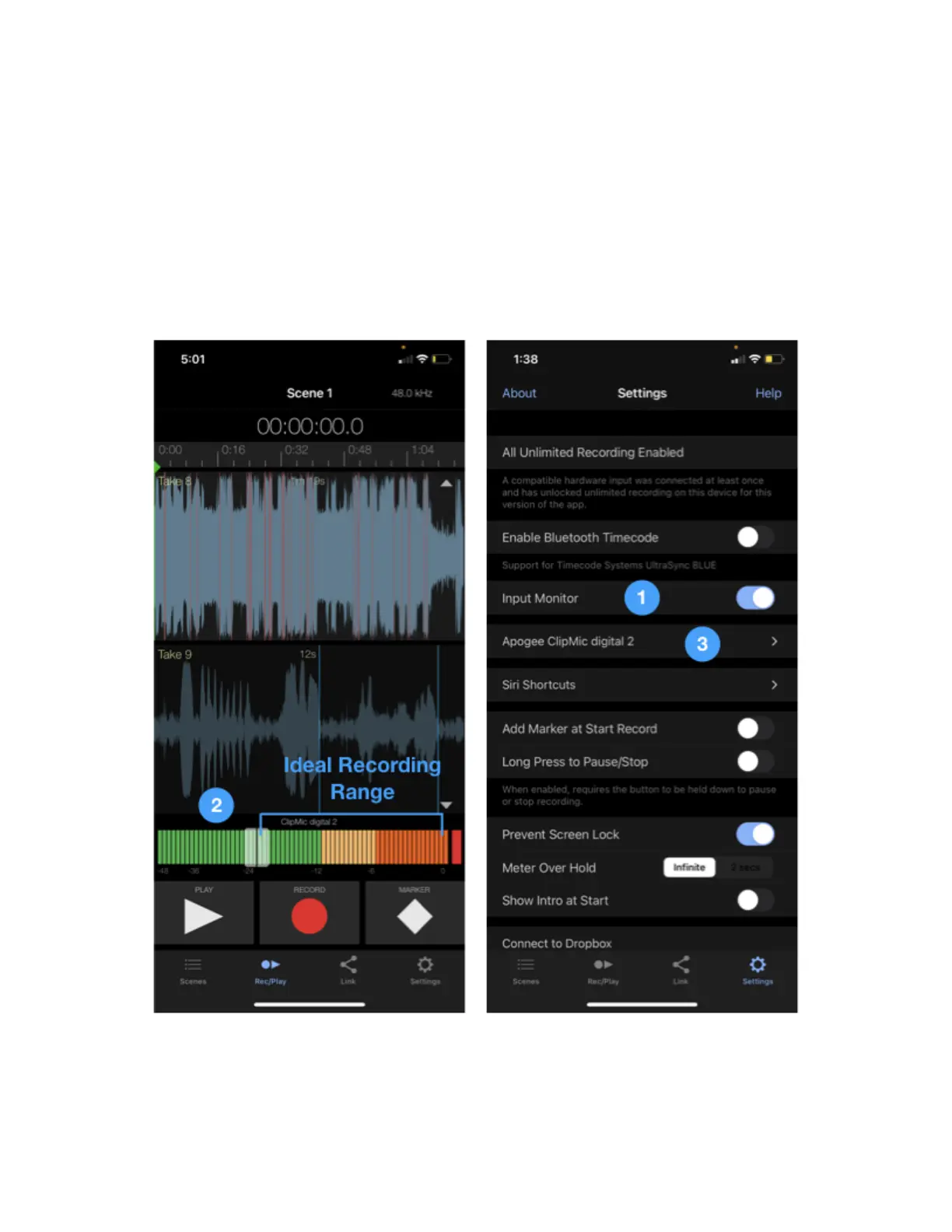
1. To hear input, tap the Settings tab, then slide Input Monitoring to the right.
2. To set Input Gain, tap the Rec/Play tab, then slide the Input Gain knob so the audio level falls
within the ideal recording range on the level meter as shown below.
3. To apply corrective DSP, tap the Settings tab, then tap the Apogee ClipMic digital 2 button, then
tap the desired processing as described above.
4. To learn more about MetaRecorder, tap the Settings tab, then tap Help to access the in-app
User’s Guide.



 To Next Page