EasyManua.ls Logo

Apogee Element 24 - Hover Help; Menu Bar Menus

Apogee Element 24
32 pages
Print Icon
To Next Page IconTo Next Page
To Previous Page IconTo Previous Page
Loading...
Apogee Element Series Quick Start Guide | 17
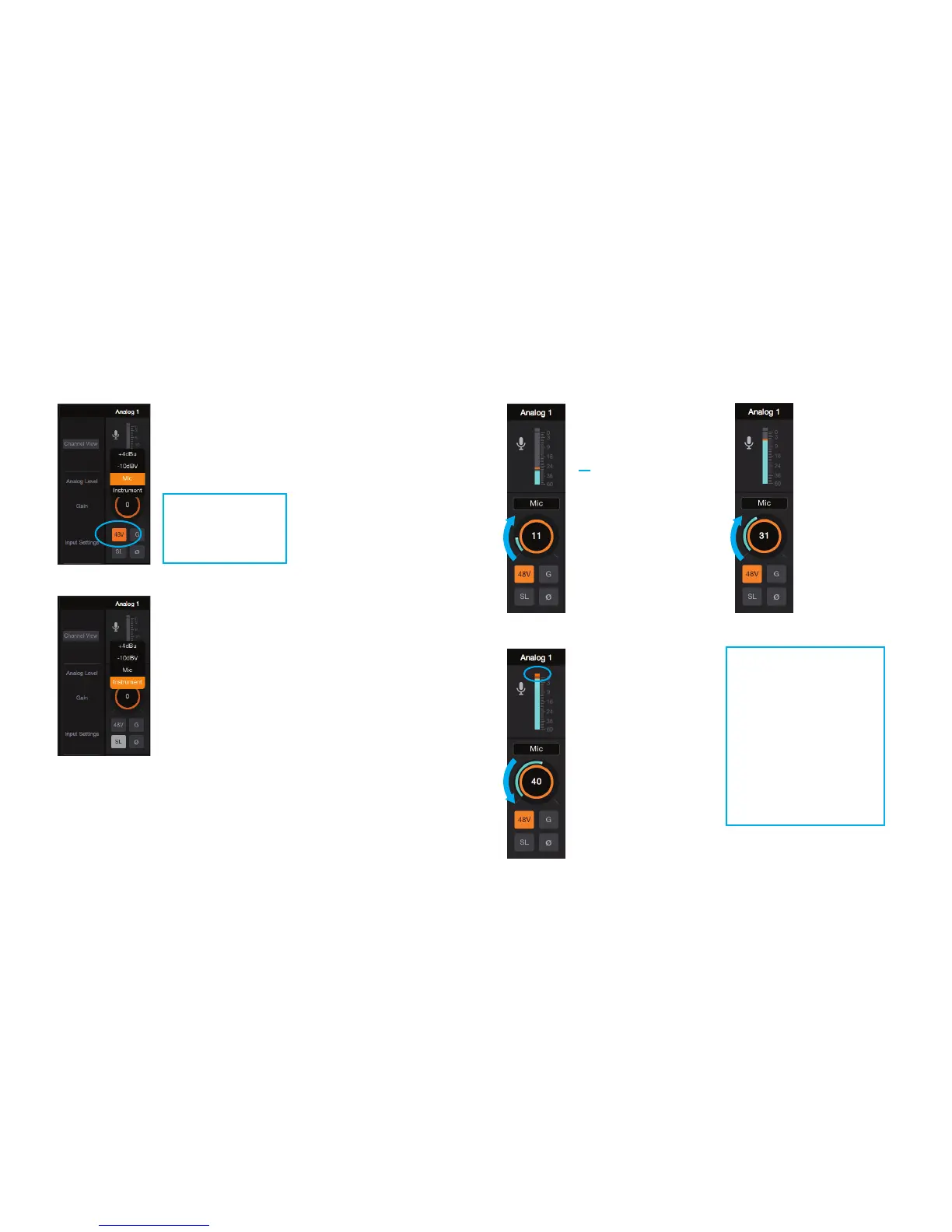
5. In the Analog 1 channel, set the Analog
Level setting to:
6. Raise the Gain knob as you input signal.
You will see
input meter
move with
this signal.
Continue
raising the
Gain knob
until this meter
gets close to
the top on your
loudest input.
If the Over
indicator is
triggered, the
Gain knob is
too high and
should be
lowered.
“Mic” if you are
connecting via
XLR cable.
“Instrument” if you
are connecting via
¼” cable.
If using a condenser
microphone, click
“48V” to activate
phantom power
Your input is now
set up and can be
recorded.
To hear the input
signal, use the
monitoring features
of your Recording
Program or DAW.

Other manuals for Apogee Element 24

Related product manuals