Apogee Element Series Quick Start Guide | 29
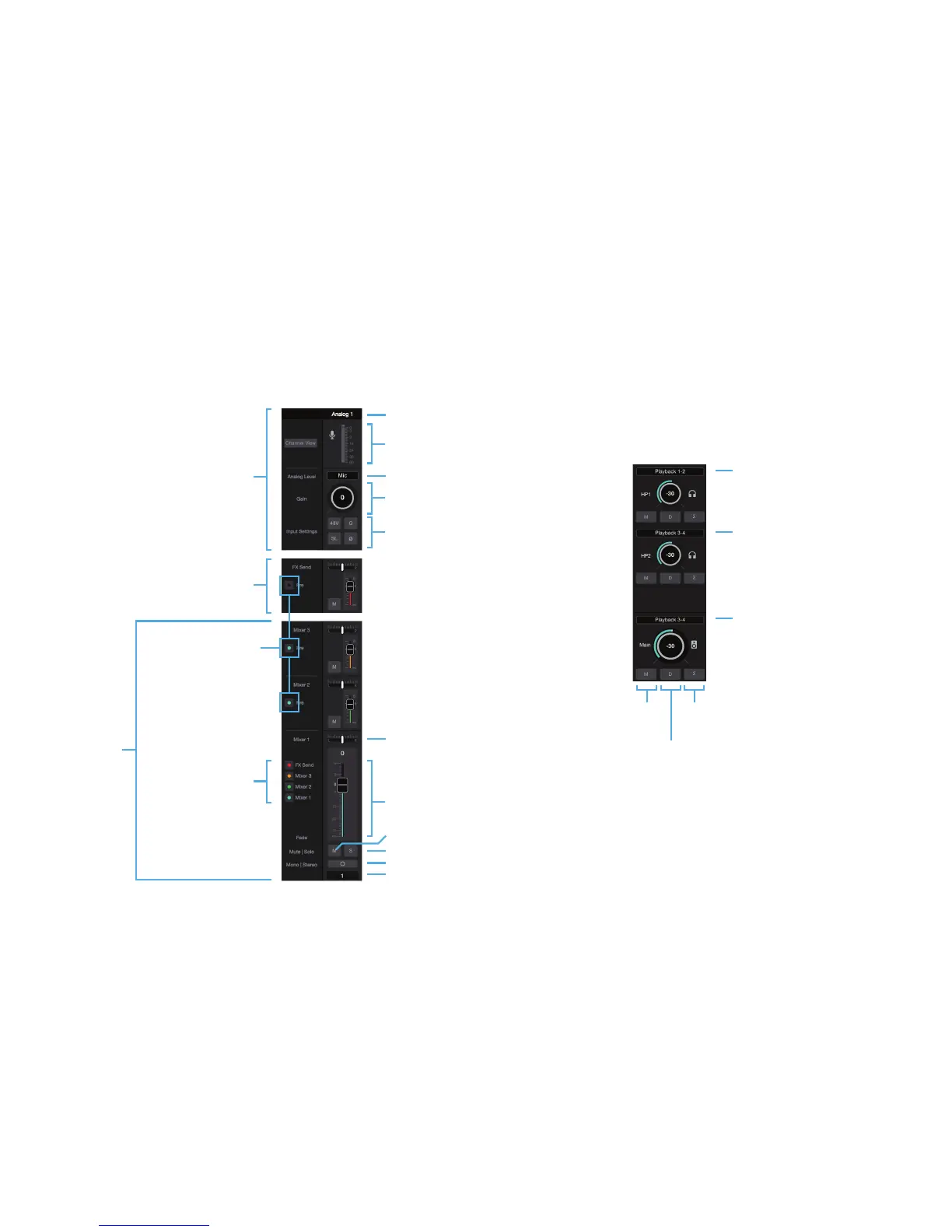
Element Control Input and Output Settings
Sound source for this output
Sound source for this output
Sound source for this output
Mute Button Sum-to-Mono Button
Use to test mono
compatibility of a mix
Dim Button
Lowers output by
-15 dB
Input Label
Channel Pan
Channel Mute
Channel Solo
Channel Mono/Stereo Toggle
Channel Label
Input Type Selector
Input Level Meter
Input
Configuration
Section
FX Send to
DAW Channel
Mixer View On/Off
Mixer Send
Pre Button
-When this is on, the
volume of signal going
to the mixer master is
not affected by the
Mixer 1 fader
Mixers
Input Gain Knob
Channel Level Fader
48V Phantom Power, Group
Soft Limit, Polarity Invert



 To Next Page