EasyManua.ls Logo

Apollo SL30 - User Manual

Apollo SL30
88 pages
Print Icon
To Next Page IconTo Next Page
Loading...
Apollo
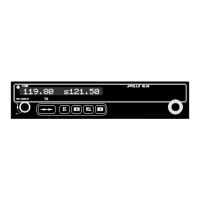
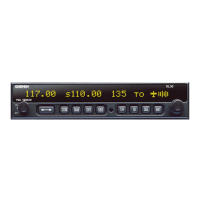
Model SL30 NAV/COMM
Installation Manual
February 2002
560-0404-03

Table of Contents

Questions and Answers

  • C
    Cynthia BrandtAug 13, 2025
    What to do if Apollo SL30 Transceiver does not transmit?
    • K
      Kathryn MillerAug 13, 2025
      If your Apollo SL30 Transceiver does not transmit, it may be due to several reasons. First, check the TxKey (mic key) input to ensure it's pulled low for transmit. Second, verify that you haven't selected a weather channel, as the unit will not transmit on those frequencies; select a different frequency. Third, confirm that the power input is correctly connected to the Comm 15 pin connector. Finally, ensure that the input supply voltage is greater than 9 volts DC.
  • C
    Charles AllenAug 17, 2025
    How to fix Apollo SL30 Transceiver that does not power on?
    • D
      Derek ColemanAug 17, 2025
      If your Apollo SL30 Transceiver does not power on, the unit might not be getting power. Check the power connections, breakers, and the main avionics switch to ensure they are properly connected and functioning.
  • M
    mdukeAug 21, 2025
    Why doesn't the intercom function on my Apollo SL30?
    • D
      Dennis StewartAug 21, 2025
      If the intercom on your Apollo Transceiver isn’t functioning, it could be due to several reasons. The intercom select input must be pulled to ground to turn on the intercom function. Another reason might be that there is an active frequency signal present. Change the active frequency, because the active frequency has priority. It is also possible that there is no voice activation, or you have to talk too loud. Change the intercom level threshold using the setup function described in the user’s manual.
  • J
    James RamirezAug 25, 2025
    How to restore NAV audio on Apollo SL30 Transceiver?
    • L
      Lawrence HallAug 26, 2025
      If you have no NAV audio on your Apollo Transceiver, the output might be disabled or set to a low level. Check the System page under NAV Options and then NAV Audio Level to adjust the audio settings.
  • M
    Marie MartinAug 28, 2025
    What to do if Apollo SL30 won’t communicate via RS-232?
    • I
      ipaceAug 28, 2025
      If your Apollo Transceiver won’t communicate via RS-232, the issue might stem from an improper setup on the remote device, device incompatibility, or an improper connection. Consult the configuration of the other device. Verify that the SL30 Rx is connected to the remote device Tx and the SL30 Tx is connected to the remote device Rx.
  • J
    Jacob FosterSep 1, 2025
    Why is NAV audio playing in Comm on my Apollo SL30 Transceiver?
    • H
      Heidi ClaytonSep 1, 2025
      If you're hearing NAV audio in the Comm on your Apollo Transceiver, it could be due to the 'Mixed with Comm' feature being enabled. Check the System page, then NAV Options, and finally Mix NAV Audio With Com to disable this feature.
  • C
    Cassandra BridgesSep 5, 2025
    Why won’t the resolver calibrate on my Apollo SL30 Transceiver?
    • D
      Donald HigginsSep 5, 2025
      If the resolver won’t calibrate on your Apollo Transceiver, the issue might be an incompatible resolver or an improper connection. Check the resolver specifications and wiring to ensure they are correct.
  • A
    Ashley LarsonSep 9, 2025
    Why Apollo Transceiver won't communicate via RS-232?
    • P
      philipandersonSep 9, 2025
      If your Apollo Transceiver won’t communicate via RS-232, it could be due to an improper setup on the remote device, the device not being compatible, or an improper connection. Consult the configuration of the other device. Verify Rx is connected to Tx and Tx is connected to Rx of the device.

Summary

SL30 Installation Guide

Installation Overview and Mounting

Planning, mounting considerations, unit insertion, and tube installation procedures.

Electrical, Antenna, and System Connections

Guides for power, audio, serial, microphone, antenna, and intercom connections.

Post-Installation Checkout and Testing

Procedures for post-installation checks, setup, calibration, and system tests.

SL30 Specifications

Electrical, Physical, and Environmental Specs

Details voltage, current, dimensions, weight, and environmental test categories.

Navigation Receiver Performance

Performance details for VOR, Localizer, Glideslope, OBS Resolver, and Composite outputs.

Communication Receiver, Transmitter, and Antenna Specs

Details performance for Comm receiver, transmitter, intercom, and antenna requirements.

Limitations, Continued Airworthiness, and Maintenance

Troubleshooting Guide and Factory Assistance

Lists common problems, solutions, and factory contact information for support.

Serial Interface Specifications

Apollo SL30 Specifications

General IconGeneral
BrandApollo
ModelSL30
CategoryTransceiver
LanguageEnglish

Related product manuals