3
The Meter Description
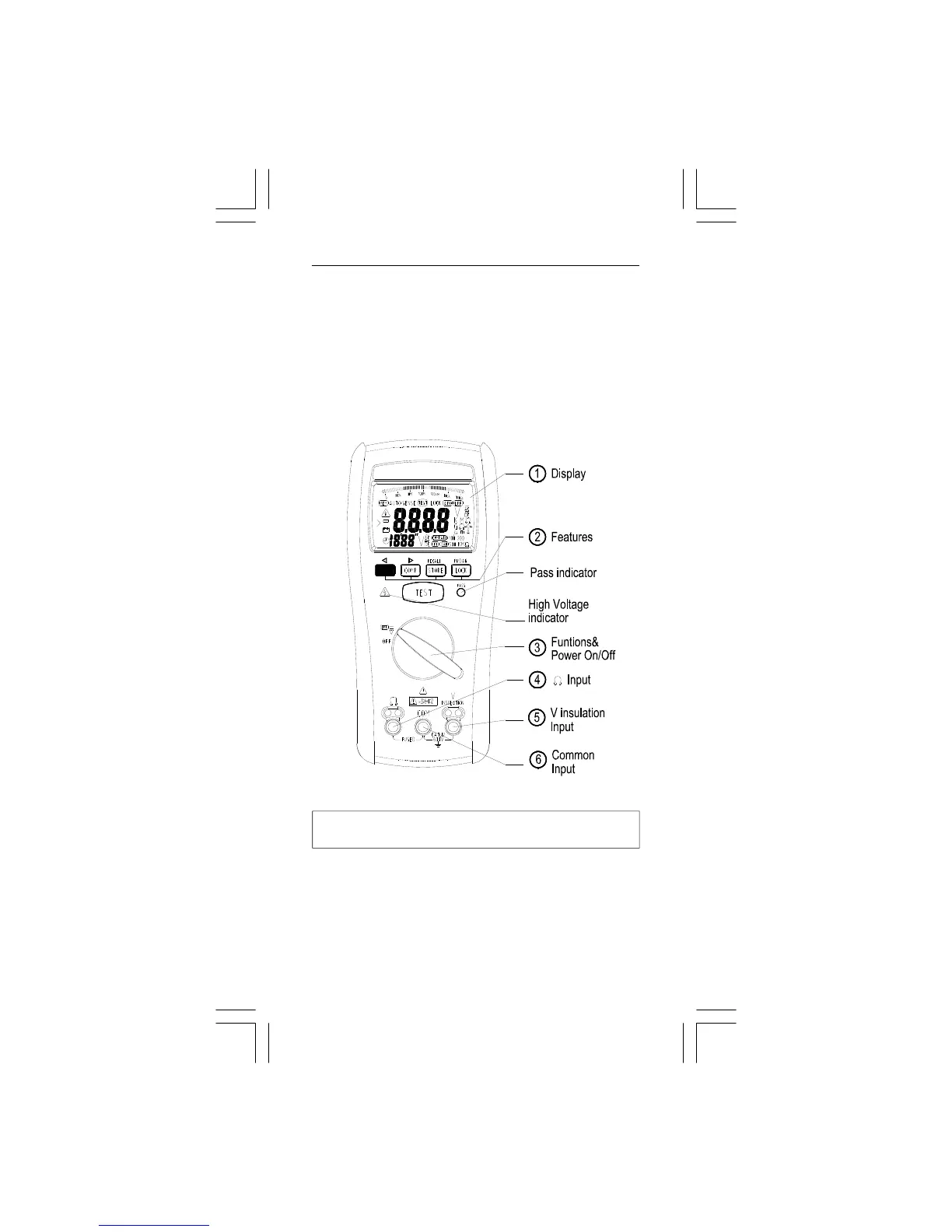
Front Panel Illustration
1. LCD display :4000 counts .
2. Push-buttons for features.
3. Rotary switch to turn the Power On or Off and to select a
function.
4. Input Terminal for Ω function.
5. Input Terminal for V Insulation functions.
6. Common (Ground reference) Input Terminal for all functions.
Making Basic Measurements
Preparation and Caution Before Measurement
: Observe the rules of Warnings and Cautions
When connecting the test leads to the DUT (Device Under
Test) connect the common (COM) test lead before
connecting the live lead ; when removing the test leads
removing the test live lead before removing the common
test lead.
The figures on the following pages show how to make basic
measurements.



 To Next Page