iMac (21.5-inch, Late 2009) Symptom Charts — Display 51
2010-11-18
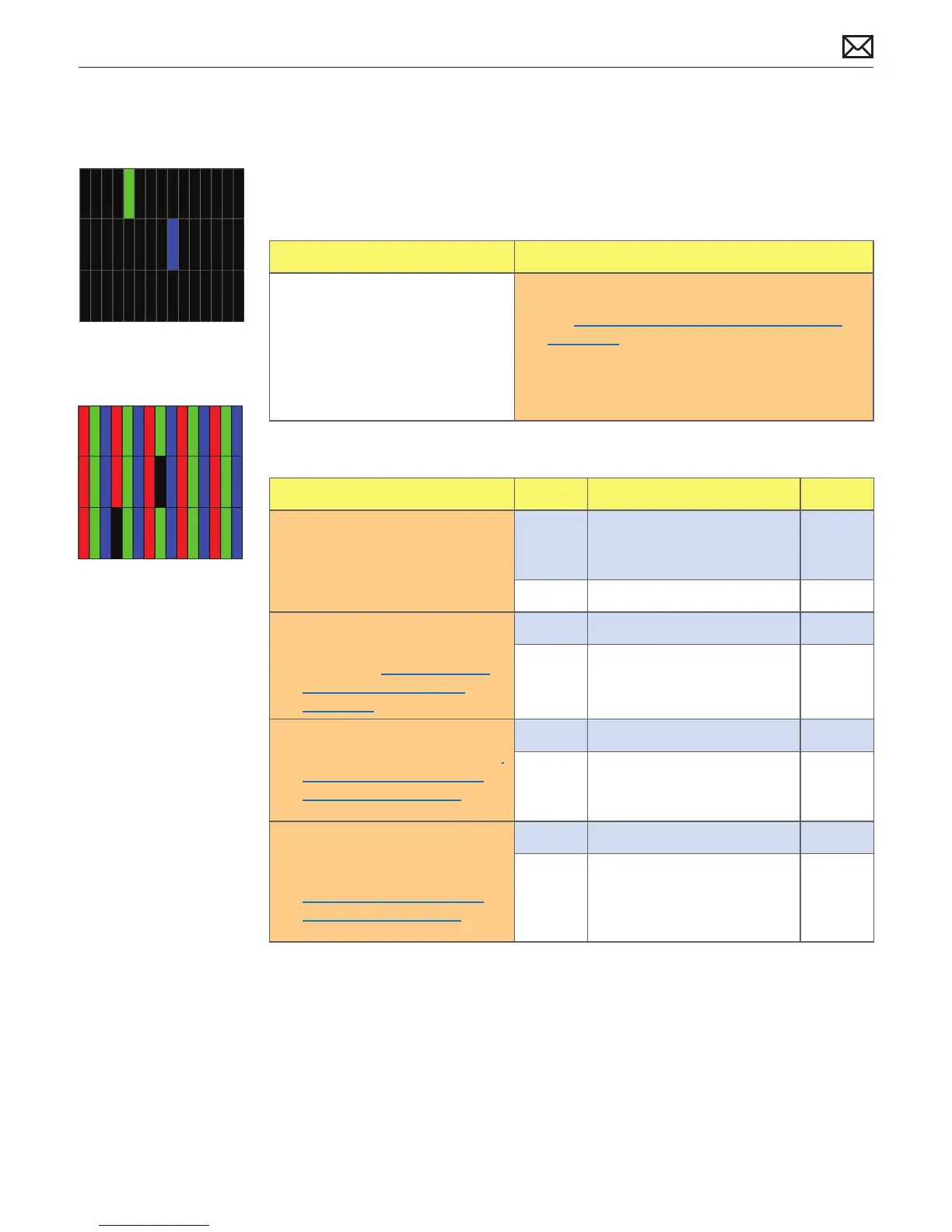
Pixel Anomalies
Unlikely cause: logic board, power supply, hard drive, optical drive, fans, speakers, camera,
microphone
Quick Check
Symptoms Quick Check
Pixel Anomalies
• Dark dot anomalies
• Bright dot anomalies
• Debris on inside surface of
glass panel
• Debris on surface of LCD panel
1. Clean outside surface of glass panel.
2. See kBase #HT1721: About LCD display pixel
anomalies.
Deep Dive
Check Result Action Code
1. Determine if “defects” are dust/
debris on surface of glass panel
or LCD.
Yes Clean glass and/or LCD using
procedures in Glass Panel
take-apart chapter.
No Go to step 2.
2. Determine if bright pixel
defects exceed acceptable
number. See kBase #HT1721:
About LCD display pixel
anomalies.
Yes Replace LCD panel. L08
No LCD panel meets bright pixel
defect specications.
Go to step 3.
3. Determine if dark pixel defects
exceed acceptable number. See
kBase #HT1721: About LCD
display pixel anomalies.
Yes Replace LCD panel. L08
No LCD panel meets dark pixel
defect specications.
Go to step 4.
4. Determine if combination
of bright/dark pixel defects
exceed acceptable number. See
kBase #HT1721: About LCD
display pixel anomalies.
Yes Replace LCD panel. L08
No Explain to user that LCD
panel is operating within
specications for pixel defects.
Do NOT replace LCD panel.



 To Next Page