56 Chapter 5
Custom installation: Click Add/Remove. Proceed to “Custom Installation” on page 56.
Standard Installation
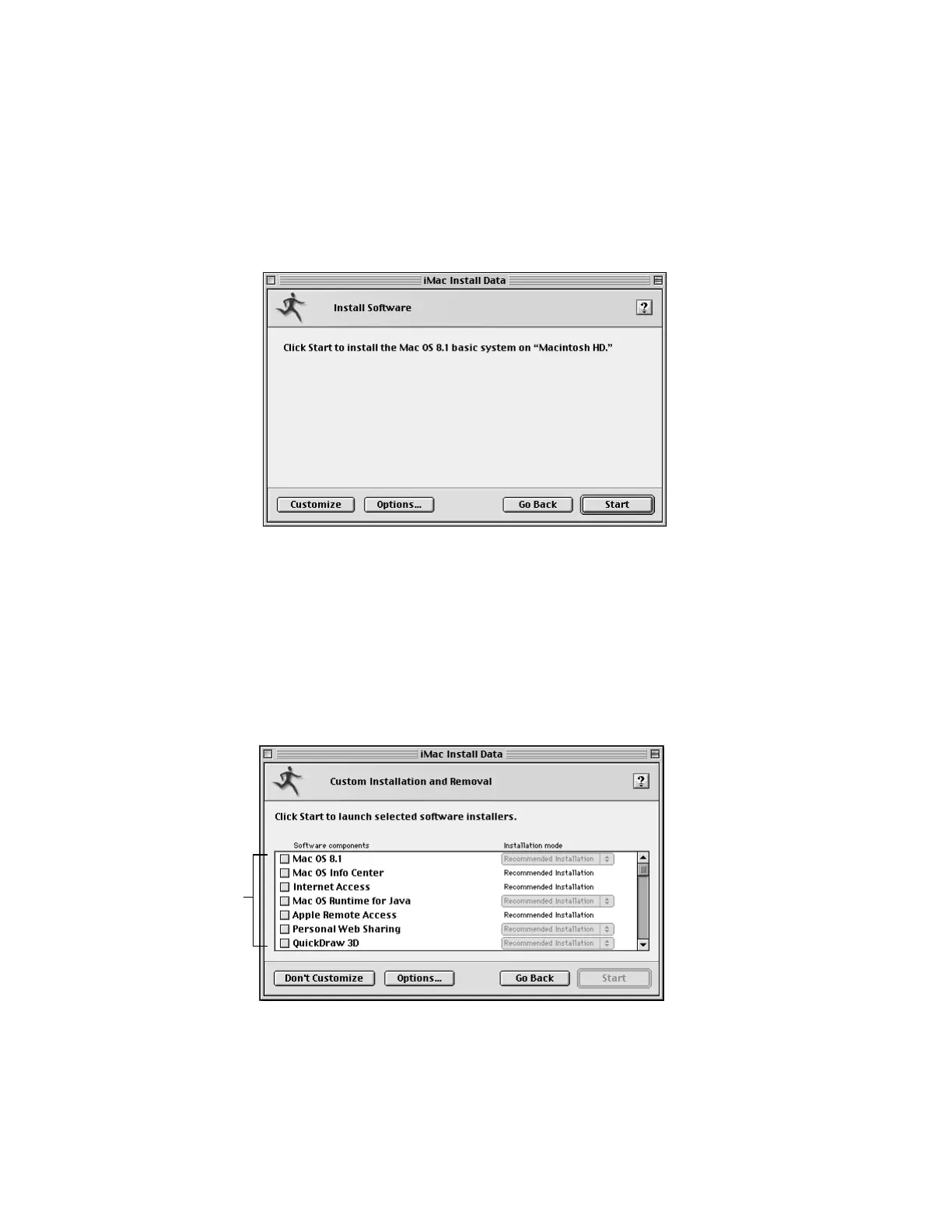
1 Follow the instructions on your screen until you see the Install Software window.
Note: Your screen may look slightly different from the one pictured here.
2 If you want to update the hard disk drivers and create an installation report, click Options. In
the window that appears, click the appropriate checkboxes, then click OK.
3 Click Start.
4 When the installation has finished, restart your computer.
Custom Installation
1 In the window that appears, select the software to install, the software to remove, or both.
Select the software you
want to add or remove.



 To Next Page