Home
Apple
Desktop
IMac
Page 54
Apple IMac - Page 54
104 pages
Manual
Save Page as PDF
To Next Page
To Next Page
To Previous Page
To Previous Page
Loading...
54
Chapter 3
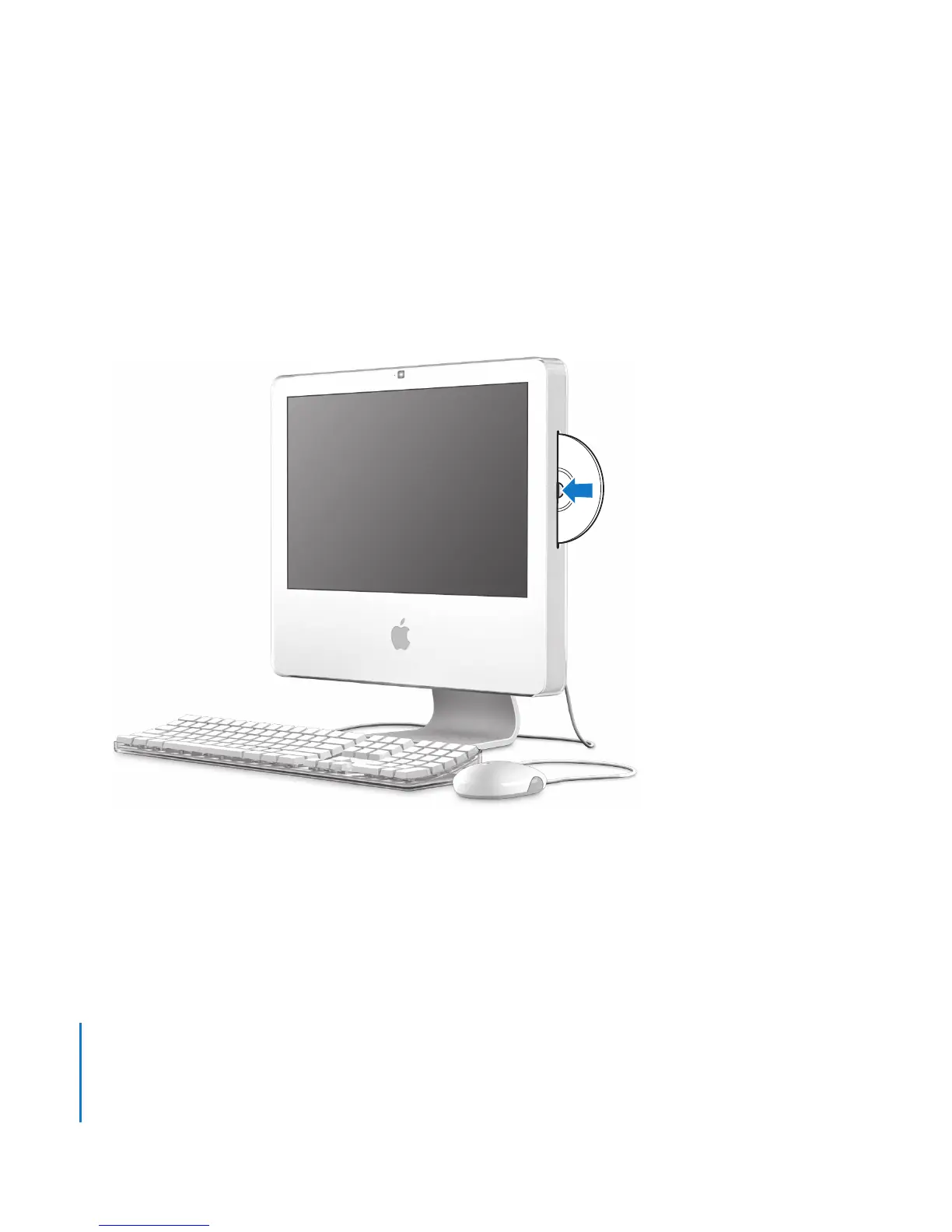
Using Your iMac
Inser
ting a CD or DVD Disc
T
o use a CD or DVD disc,
follow these steps:
1
Place the disc int
o the Combo driv
e with the label facing you
.
2
When the icon f
or the disc appears on the desktop
,
the disc is ready t
o use.
53
55
Other manuals for Apple IMac
Installation Instructions
6 pages
Technician Guide
287 pages
Information Guide
16 pages
Quick Start Guide
20 pages
Essentials
52 pages
Service Source
350 pages
Installation
60 pages
Related product manuals
Apple iMac G3
72 pages
Apple IMAC G5
10 pages
Apple iMac (24-inch)
232 pages
Apple iMac G5 Memory, 17-inch
11 pages
Apple iMac Early 2006 17-inch
171 pages
Apple iMac G5 Inverter, 17-inch
19 pages
iMac G5 Hard Drive, 20-inch
14 pages
iMac G5 Power Supply, 20-inch
16 pages
iMac G5 Optical Drive, 17-inch
13 pages
iMac G5 Upper Fans, iMac G5, 20-inch
15 pages
iMac G5 AirPort Extreme Card, 20-inch
11 pages
iMac G5 AirPort Extreme Card, 17-inch
12 pages





 To Next Page