EasyManua.ls Logo

Apple Macintosh - Page 274

Apple Macintosh
321 pages
Print Icon
To Next Page IconTo Next Page
To Previous Page IconTo Previous Page
Loading...
Mac
in
tosh Communications 277
Phone Settings
Phone Number
Dial
@Tone
0 Pulse
OMiHed
Number
of
Rings Before Rnswer
Modem
0 Apple
300
®Apple
1200
0 Other
~
(cancel)
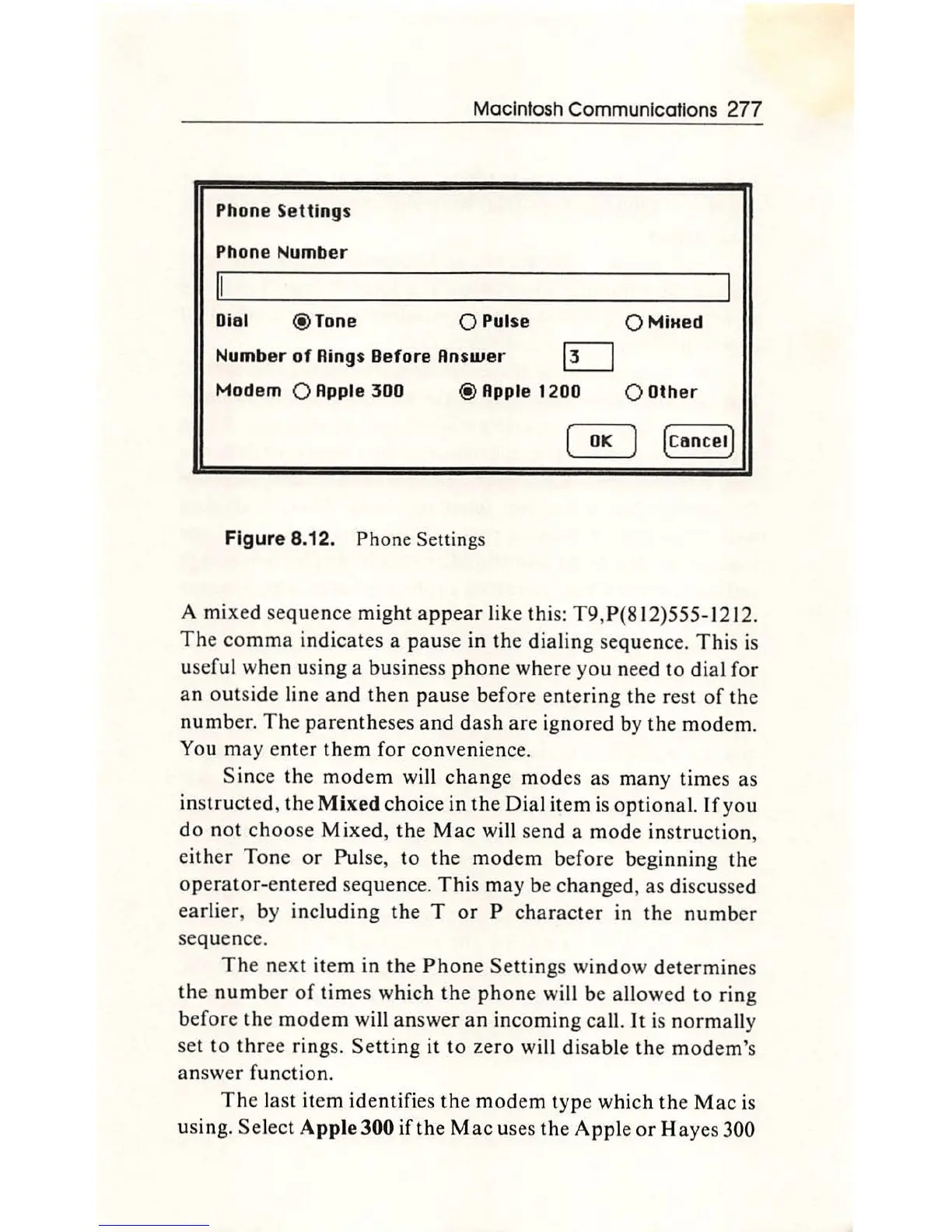
Figure 8.12.
Phone
Settings
A mi
xed
sequence
might
appear
like this: T9,P(812)555-1212.
The
comma
indicates a
pause
in
th
e
dialin
g seq
uenc
e.
This
is
useful when using a business
phone
where
you
need
to
dial for
an
outside
line
and
th
en
pause before
entering
th
e rest
of
the
number.
The
parentheses
and
dash
are
ignored by
th
e
mod
em.
You may
enter
them
for convenience.
Since
the
modem
will
change
modes as
many
times as
in
structed,
the
Mixed
choice in
the
Dial
item
is
optional.
If
you
do
not
choose
Mixed,
the
Mac
will
send
a
mode
instruction,
either Tone
or
Pulse,
to
the
mod
em
before
beginning the
operator-e
ntered sequence.
This
may be changed, as discussed
earl
ier, by inc
ludin
g
the
T
or
P
character
in
the
number
sequence.
The
next
item
in
the
Phone
Settings
window
determines
th
e
number
of
times which
the
phone
will be allowed
to
ring
before the
modem
will
answer
an
incoming
cal
l.
It
is
norma
ll
y
set to
three
rings.
Setting
it
to
zero
will disable
th
e
mod
em
's
answer function.
The
last item identifies
the
modem
type
which
th
e
Mac
is
using.
Se
lect Apple 300
if
the
Mac
uses
the
Apple
or
Ha
yes 300

Other manuals for Apple Macintosh

Related product manuals