284 Macintosh
User's
Handbook
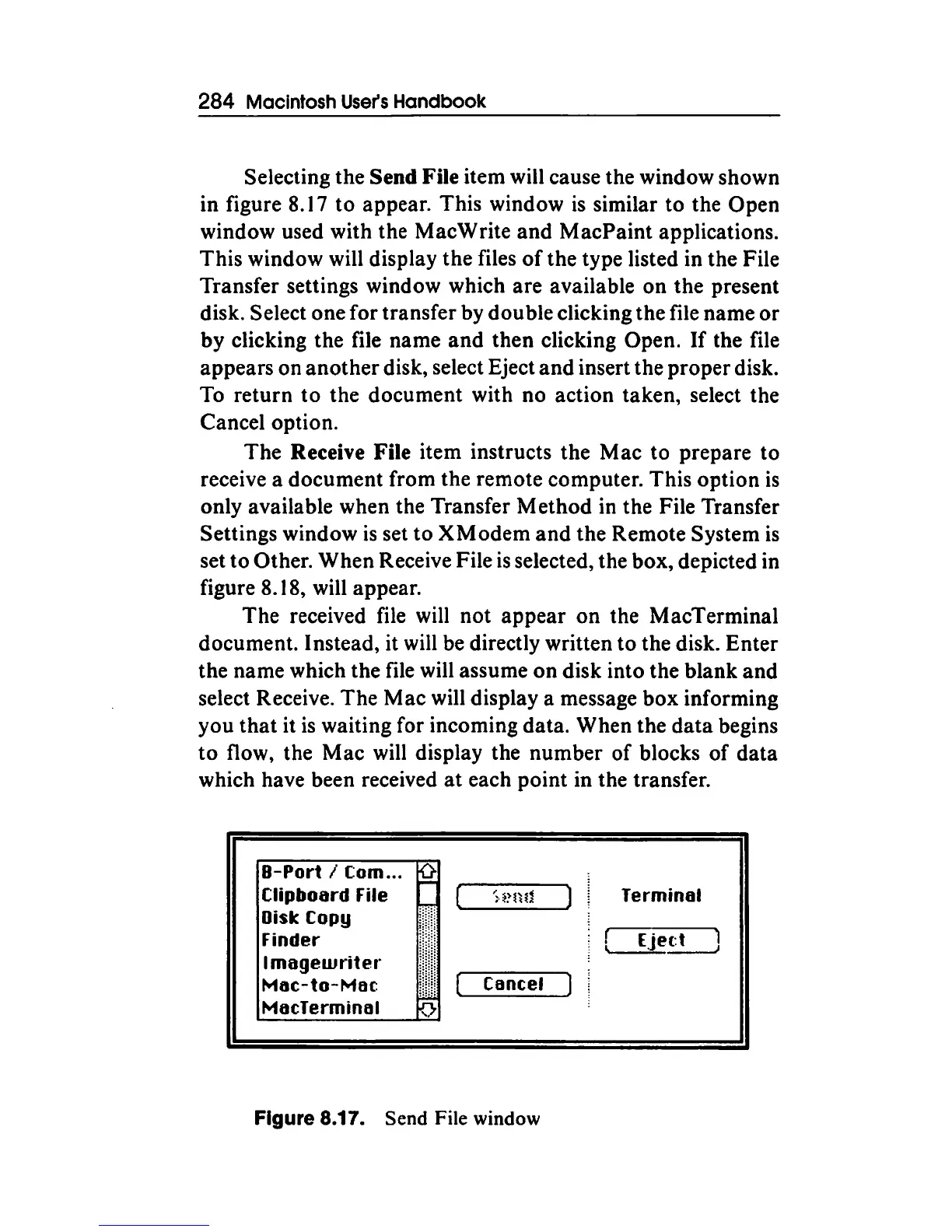
Selecting the Send File item will cause the window shown
in figure 8.17
to
appear. This window
is
similar to the Open
window used with the MacWrite and MacPaint applications.
This window will display the files
of
the type listed in the File
Transfer settings window which are available
on
the present
disk. Select one for transfer by double clicking the file name
or
by
clicking the file name
and
then clicking Open.
If
the file
appears on
another
disk, select Eject and insert the proper disk.
To return
to
the document with no action taken, select the
Cancel option.
The
Receive File item instructs the Mac
to
prepare to
receive a document from the remote computer. This option
is
only available when the Transfer Method in the File Transfer
Settings window
is
set
to
X Modem
and
the Remote System
is
set
to
Other. When Receive File
is
selected, the box, depicted in
figure 8.18, will appear.
The received file will not appear
on
the MacTerminal
document. Instead, it will be directly written to the disk. Enter
the name which the file will assume
on
disk into the blank and
select Receive. The Mac will display a message box informing
you
that
it
is
waiting for incoming data. When the
data
begins
to
flow, the
Mac
will display the number of blocks
of
data
which have been received
at
each point in the transfer.
8-Port
I Com...
~
Clipboard File
Disk Copy
Finder
I
magewriter
Mac-to-Moe
MocTerminal
Cancel
Figure 8.17. Send File window
Terminal
f EJ.ett l
~~



 To Next Page