EasyManua.ls Logo

Apple Macintosh - Page 303

Apple Macintosh
321 pages
Print Icon
To Next Page IconTo Next Page
To Previous Page IconTo Previous Page
Loading...
Troubleshooting
and
Operation Hints 307
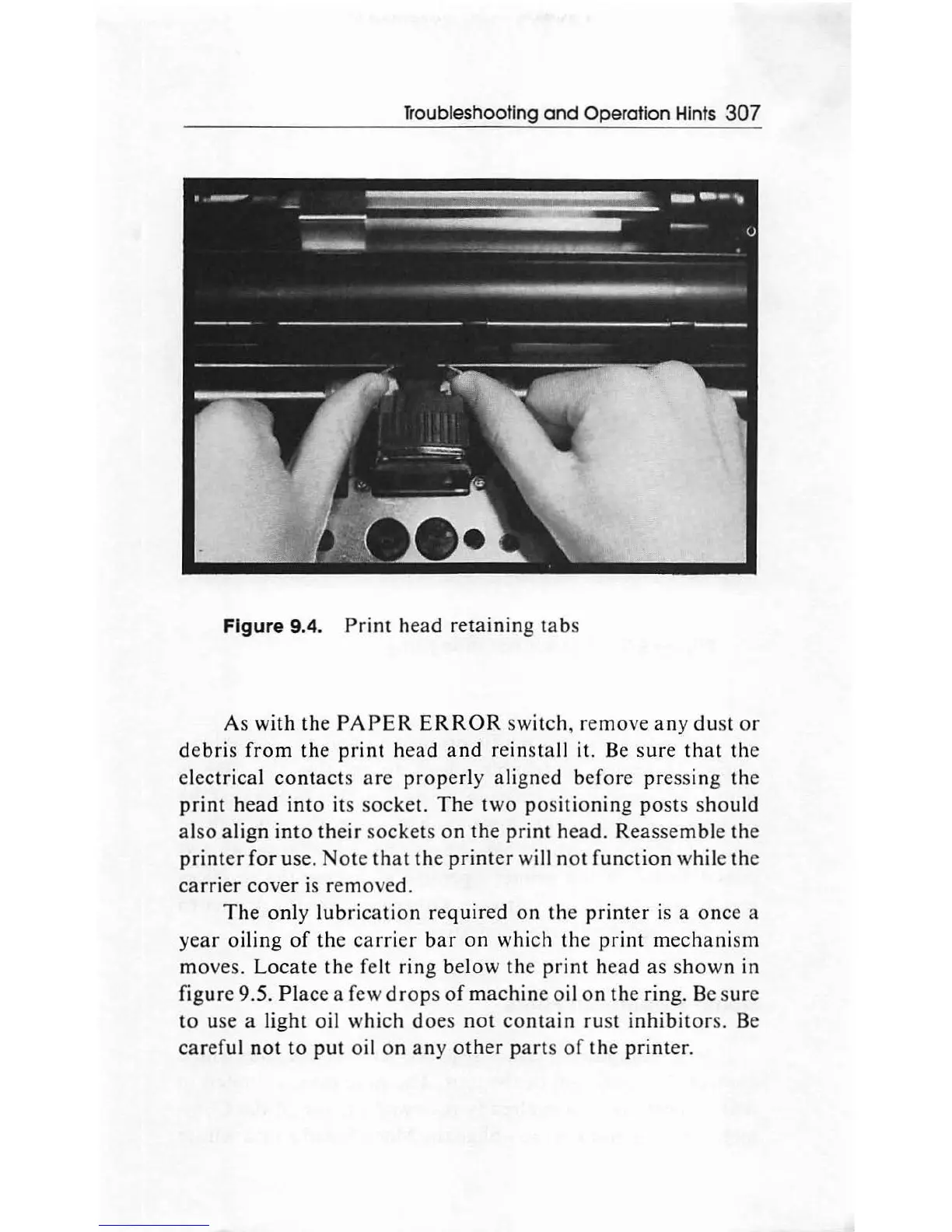
Figure 9.4.
Print
head
retaining
tabs
As
with
the
PAPER
ERROR
switch,
remo
ve
any
du
st or
debris
from
the
print
head
and
reinstall it. Be
sur
e
that
the
electrical
cont
ac
ts
are
prop
erly aligned before
pr
essi
ng
the
print
head
into
its
socke
t.
The
two
positio
nin
g
posts
should
also
align
into
th
eir
socke
ts
on
the
print
head.
R
eassemb
le the
printer
for
use.
Note
th
at
th
e
printer
will
not
function
while
th
e
carrier
co
v
er
is
re
mo
ved.
The
only
lubri
cation
requir
ed on
th
e
printer
is a once a
year
oil
ing
of
the
carrier
bar
on
which
th
e
print
mechani
sm
mo
ves.
Locate
th
e felt
ring
below
th
e
print
h
ea
d
as
s
hown
in
figure 9.5.
Plac
e a few
drops
of
machin
e
oi
l on
th
e ring. Be s
ur
e
to
use a light
oi
l
which
does
not
con
t
ain
ru
st
in
hibit
ors. Be
careful
not
to
put
oil
on
any
other
parts
of
the
print
er.

Other manuals for Apple Macintosh

Related product manuals