EasyManua.ls Logo

Apple Macintosh - Page 46

Apple Macintosh
321 pages
Print Icon
To Next Page IconTo Next Page
To Previous Page IconTo Previous Page
Loading...
46
Macintosh
User's
Handbook
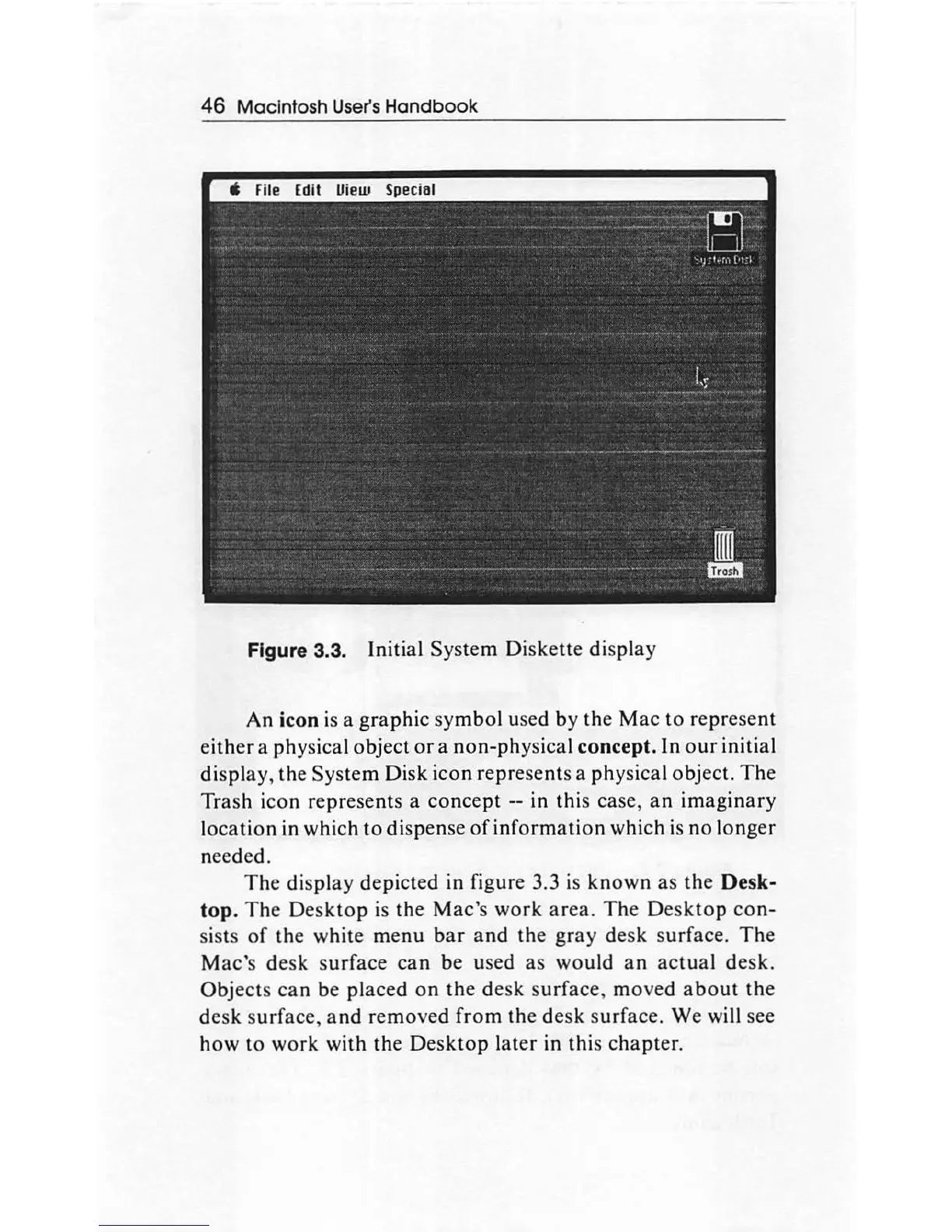
Figure 3.3. Initial System Diskette display
An
icon is a
graphic
symbol
used by the
Mac
to
repr
ese
nt
either
a
phy
sical object
or
a
non-phy
sical concept. In
our
initial
dis
play
,
th
e System Disk icon represents a physical object.
The
Trash icon represents a
concept
-- in
thi
s case,
an
imaginary
location
in which
to
dispense
of
information
which
is
no
longer
needed.
The
display
depicted in figure 3.3 is
known
as
th
e Desk-
top.
The
Desktop
is the Mac's
work
area.
The
De
skto
p
con-
sists
of
the white menu
bar
and
the
gray
desk surface.
The
Mac'
s desk
surface
can
be
used
as
would
an
actual
desk.
Object
s
can
be placed
on
the
de
sk su
rfa
ce, moved
about
th
e
de
sk
s
ur
face, and
remov
ed
from
the
desk
surface. We will see
how
to work with the
Desktop
later
in this
chapter
.

Other manuals for Apple Macintosh

Related product manuals