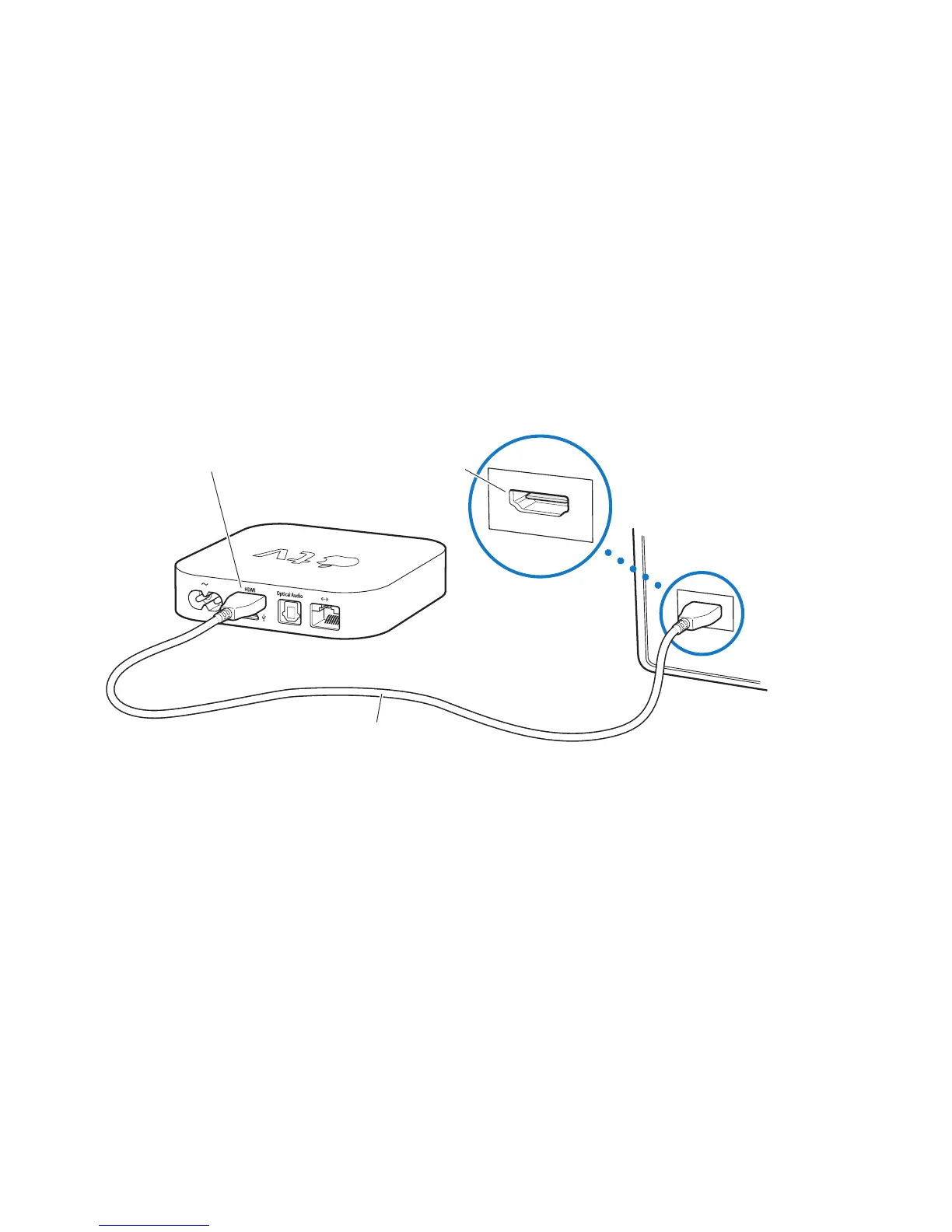
Step 1: Connecting the cables
1 ConnectoneendoftheHDMIcabletothebackofyourTV.
2 ConnecttheotherendofthecabletotheHDMIportonthebackofAppleTV.
3 Ifyou’reusinganopticaldigitalaudiocableforaudio,connectoneendofthe
cabletotheaudioinputportonyourreceiverorTV,andtheotherendtothe
opticaldigitalaudioportonthebackofAppleTV.
Apple TV
Television
HDMI port HDMI port
HDMI cable
Note: Thebuilt-in802.11Wi-FitechnologyconnectsAppleTVtoyourwireless
network.IfyournetworkisEthernet-based,connectAppleTVtoyournetwork
usinganEthernetcable.



 To Next Page