13Chapter 1 Connect.
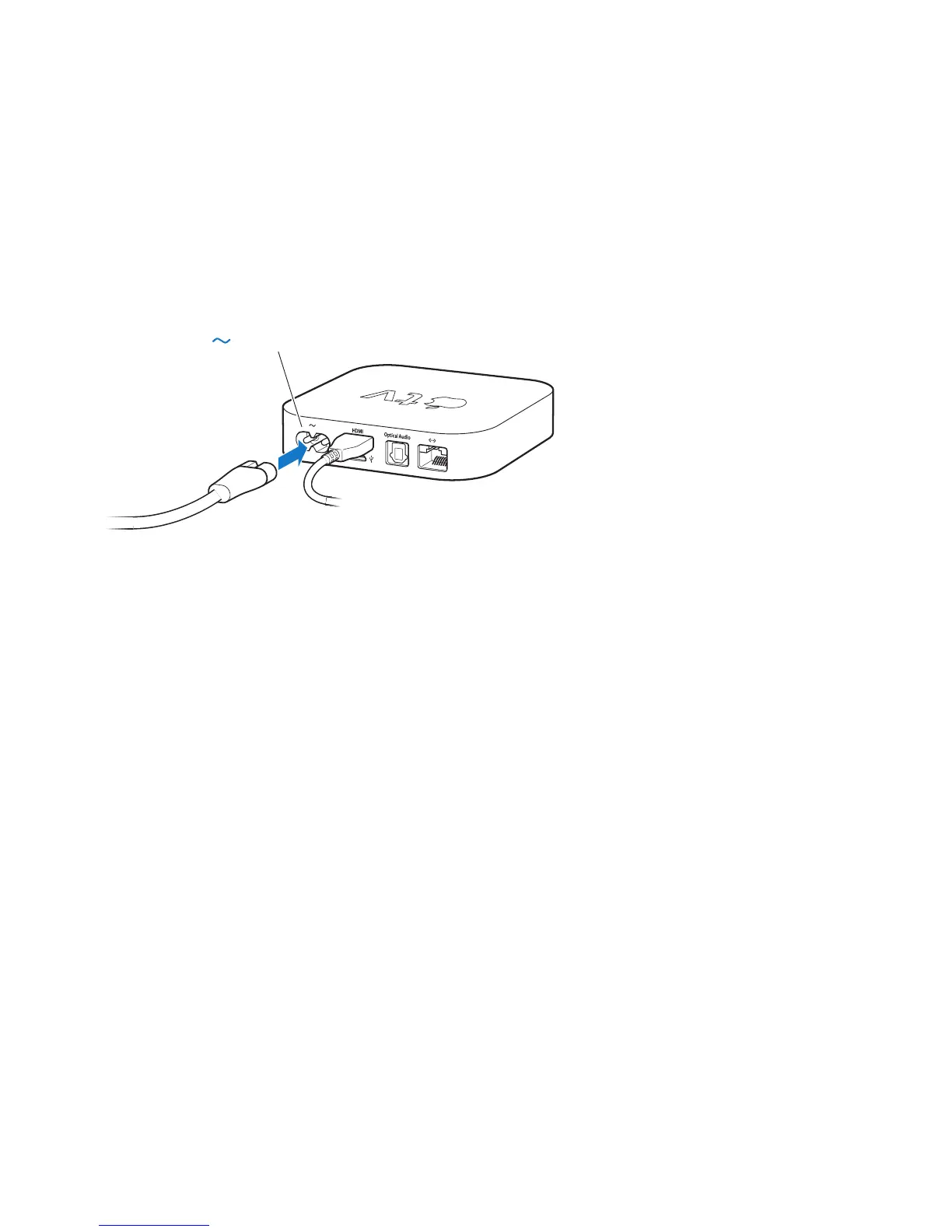
Step 2: Connect the power cord
ConnectoneendofthepowercordtothepowerportonthebackofAppleTV
andtheotherendtoapoweroutlet.
Important: Don’tplaceanythingontopofAppleTV.Objectsplacedontopmay
interferewiththewirelesssignal.Don’tplaceAppleTVontopofotherelectronic
equipmentinamediacabinet.
Step 3: Turn on your TV and select the input
ThersttimeyouuseAppleTV,ithelpsyouchoosealanguageandselecta
network.SeeChapter2,“Congure.”onpage15.
IfyouseejustablackscreenthersttimeyouuseAppleTV,makesuretheinput
settingyou’veselectedonyourTVmatchestheinputyouconnectedthecables
toonyourTVorhometheaterreceiver.SeeChapter4,“Problem?NoProblem.”on
page25,andrefertothedocumentationthatcamewithyourTVforinformation
aboutitsinputs.



 To Next Page