Controlled if copy number stated on document and issued by QA
(Template Version 03/02/2020)
Page 5 of 6
Cross-Referenced in Primary Document: SOP5145
CONTROLLED
2.7- Time and date/calibration in the middle of session
The time displayed on a Hemoflow 400 must not be used to record any times on session paperwork
If the time is out by a small margin (for example after the clocks change) this does not require adjusting
and the device can continue to be used
Hemoflow 400s will ask for daily calibration once their internal clock hits 00:00 (midnight), if this is
happening on session due to the time being incorrect, please return the device to Equipment Hub for
adjustment
If the device is displaying a “set time and date” message, please return it to Equipment Hub for
adjustment
2.8- Pack/filter falls from the tray
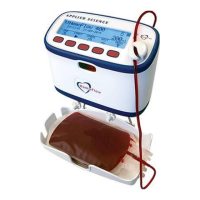
Should any of the packs or filters fall from the tray during a donation, press the pause button to stop the
tray motion and reinsert the packs
Pausing the donation stops blood flow but continues to count towards the 15 minutes total donation time
Press resume to restart the donation
2.9- Mixer
If a large amount of weight is placed on the tray during a donation while the tray is rocking, “Mixer??”
will appear on the screen
This signifies an unrealistic change in weight
When this alarm occurs, the donation must be completed manually


 To Next Page