49
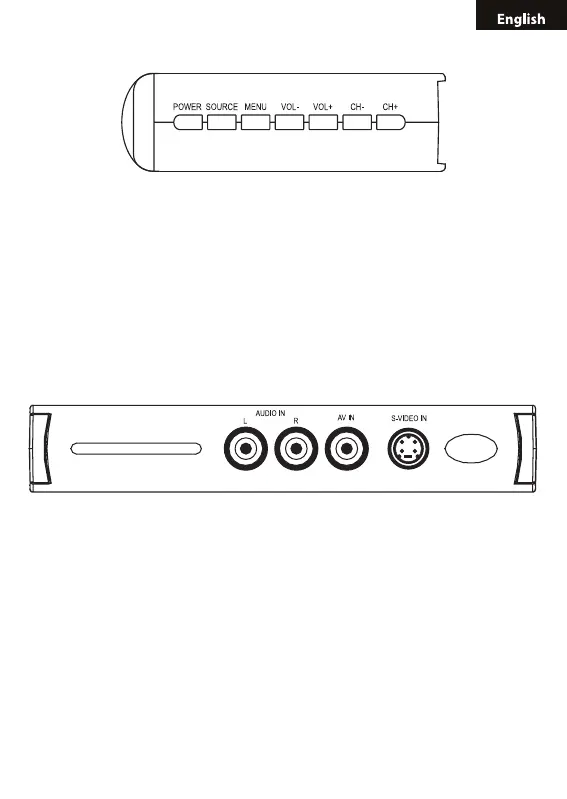
2.1 FRONT KEY-PRESS INSTRUCTION
• POWER (power key): Switch between the PC status and TV status.
• SOURCE (video switch key): Switch among TV, VIDEO, and S-VIDEO
signal sources.
• MENU (menu key): Open/Close MENU
• VOL+/VOL- (volume up/down key): TV volume up/down key. And work
with menu key to choose each item parameter.
• CH+/CH- (channel up/down key): TV channel up/down key. And work
with menu key to choose each item parameter.
2.2 BACKSIDE INTERFACES
• S-VIDEO IN (video input end): Connecting with s-video devices such
as: camera, VCD, DVD.
• AV IN (video input end): Connecting with video devices such as: cam-
era, VCD, DVD.
• AUDIO IN: Connecting with DVD/VCD stereo audio output end, to real-
ize stereo sound function.



 To Next Page