64
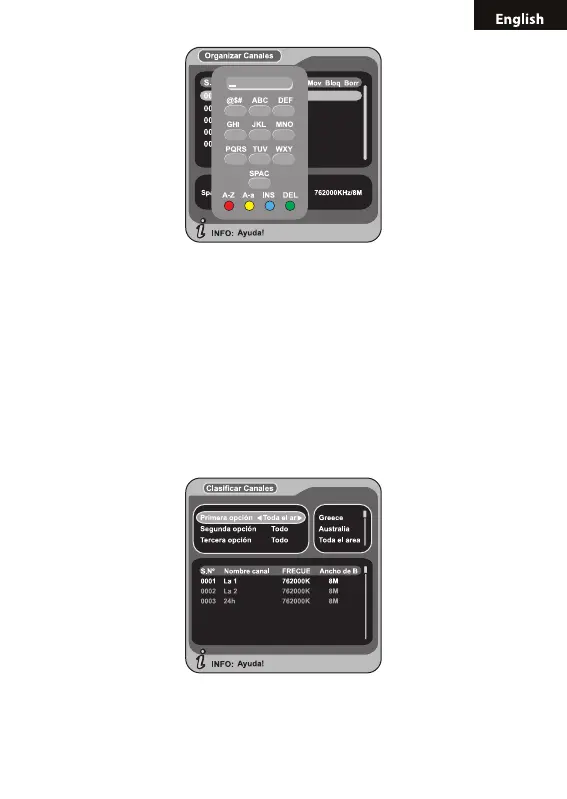
After program editing, to edit the program, press OK key; to set or cancel
Lock Program, the system will hint to input “0000”; to set Delete Program,
the system will hint to choose dialogue box “Do you want to delete the
selected items?”. Press LEFT/RIGHT key to choose ”Yes” to delete the
program chosen, “No” to cancel;
Press RETURN key to exit Channel Organizer page.
5.2.2 CHANNEL SORTING
1. The channels shall be listed according to certain sequence so that the
user can easily nd them. You can enter the page As shown in the gure
below via “MENU->Digital TV-> Channel Manager -> Channel Sorting”:
2. It will pop up and dialogue box prompting that “Channel not available”
when there are no programs in database to enter into, and it will not enter
into channel sorting page.



 To Next Page