51
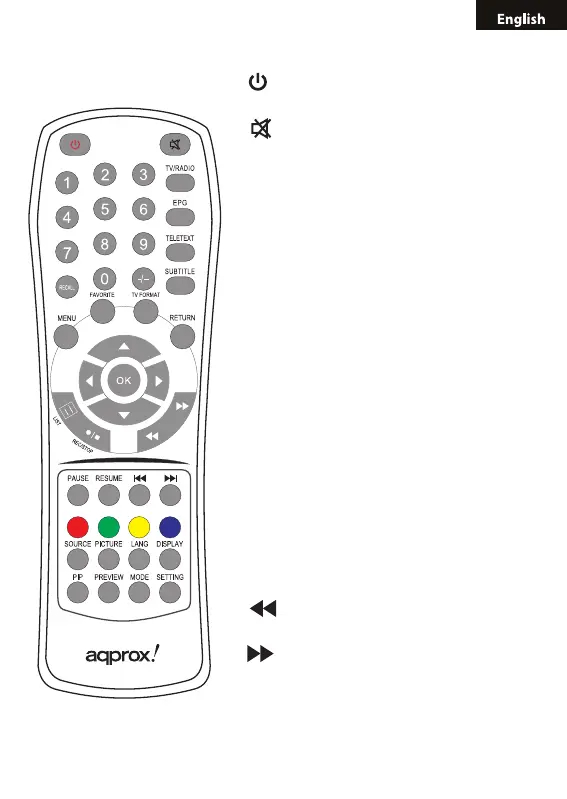
2.3 REMOTE CONTROL INSTRUCTION
• (Power key): Switch between the PC
status and TV status
• (Mute key): Turn off TV voice and
renew it
• 0-9 (Num key): Press 0-9 Num key to
choose the channel you like
• -/-- (Single/double key): Choose single or
double number channel (working with Num
key)
• TV/RADIO (TV/Radio switch key): Switch
between DVB-T TV and Radio
• RECALL: Switch between the current
channel and the last channel watched
• EPG: Go to Electronic program guide
interface
• TELTEXT: Go to Teletext interface
• SUBTITLE: Display subtitle information
• FAVORITE: The favorite channels list
• TV FORMAT: Not dened
• RETURN: Return to upper menu
• LIST: Display the TV program list
• REC/STOP: Recording the TV program
into the U-Disk or HDD-Disk
• (FR key): Fast backward for media
play function
• (FF key): Fast forward for media play
function
• PAUSE: Pause the TV program and
Media playing
• RESUME: Resume the TV program and



 To Next Page