56
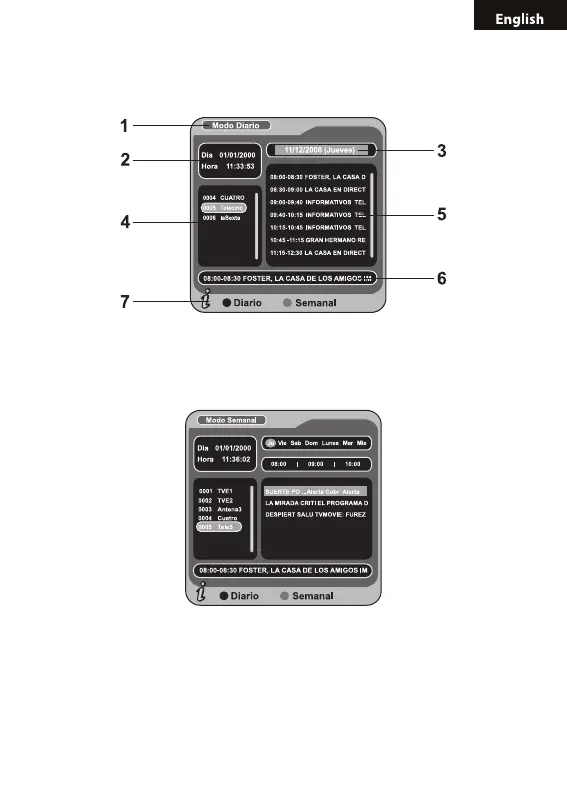
(6). Tab 6 shows the detailed program information in Tab 5;
(7). Tab 7 shows hint information for keys, corresponding to the four col-
ors on the remote controller: ZOOM,A-B,3D,ANGLE.
Press “LEFT/RIGHT” to switch between Tab 4 and Tab 5;
2. Press “A-B” key to enter into Weekly Mode to display the programs
and program information in different time ranges of the current program
list within one week.
(1). Press F.R & F.F key to switch between Sunday - Saturday in Tab 3;
(2). Press UP/DOWN key to move upward and downward to switch
between the different programs in Tab 5;
(3). Press LEFT/RIGHT key to choose to view the program information
in different time ranges in Tab 6.
3. When the cursor stops on Tab 5 or Tab 6, press the yellow 3D key to



 To Next Page