AUTOMATIC MODE
Your Aprilaire ADHC must be installed in the cold air return duct. During the
first heating season, your humidifier control needs to be set initially to match
your home’s condition. Please follow these steps when adjusting your control
(refer to FIGURE 2).
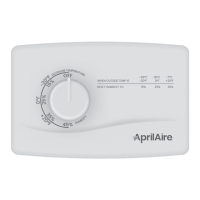
1. Turn the dial setting knob to “5,” which is within the normal range.
During the next 24 to 48 hours it may be necessary to adjust the dial for
more or less humidity, depending on your personal comfort and home’s
requirements. Refer to TABLE 2 – ADHC OPERATION GUIDE.
2. During the coldest portion of the first heating season, minor adjustments
may be necessary. This is dependent upon your home’s construction. Refer
to TABLE 2 – ADHC OPERATION GUIDE.
The humidity in your home will now be accurately controlled to meet your
needs and should not need further adjustment during future heating seasons.
Make note of the dial setting in the event you temporarily move the knob to
“OFF” when performing annual maintenance of your Aprilaire humidifier.
Your humidifier is a precision system that will accurately maintain the humidity
in your home. For every 2°F change in outdoor temperature, the Model 62
Automatic Digital Humidifier Control will automatically adjust the indoor
humidity by 1%.
The Model 62 Automatic Digital Humidifier Control will accurately control the
humidity in your home to a maximum of 45%.
The humidity values in TABLE 3 are targets based on outdoor temperature and
the Digital Humidifier Control setting. The actual humidity may vary due to
conditions in the home (cooking, showering, etc.).
TABLE 2 – ADHC OPERATION GUIDE
Condition Solution
Condensation on windows. Reduce the setting on the control dial by 1 increment.
Lack of humidity. Increase the setting on the control dial by 1 increment.
Humidifier does not turn on.
Make certain HVAC blower is operating. Turn dial to
“Test/Reset.” If unit still does not operate, consult
a heating contractor. Display will flash software
revision level e.g. “r1,” if the control knob is left in
test/reset for longer than 1 minute.
Humidifier will not shut off.
Turn control dial to “Off.” If unit continues to produce
steam (steam light ON), disconnect main power
to turn off the humidifier and consult a heating
contractor.
Test mode.
Make certain HVAC blower is operating. System
operation is checked by setting the knob to “Test/
Reset.” Humidifier will operate for 1 minute.
Red “Call Dealer for Service”
light flashes (FIGURE 2).
Note the error code on the display (E1, E2, E3 or E4)
and call your heating and air conditioning dealer for
service.
TABLE 3 – % RELATIVE HUMIDITY GUIDE
Outdoor Temperature (°F)
-10°F 0°F 10°F 20°F 30°F 40°F
Dial Setting
1 10% 10% 10% 15% 20% 25%
Relative Humidity (%)
2 10% 10% 15% 20% 25% 30%
3 10% 15% 20% 25% 30% 35%
4 15% 20% 25% 30% 35% 40%
5 20% 25% 30% 35% 40% 45%
6 25% 30% 35% 40% 45% 45%
7 30% 35% 40% 45% 45% 45%
90-1235B
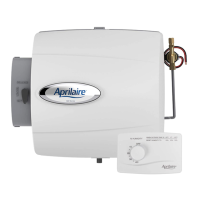
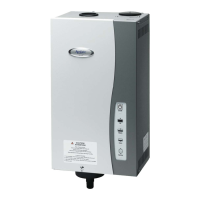
FIGURE 2 – AUTOMATIC MODE
English 1110 English


 To Next Page
 Loading...