FIGURE 5 – LCD DISPLAY
BLINKING ON +
*
: TEMP LIMITS EXCEEDED.
SEE OPERATING LIMITS, PAGE 16.
SOLID ON:
CONTROL ON
BLINKING ON:
HUMIDIFYING
NUMBERS SHOW
CURRENT ROOM
HUMIDITY OR
HUMIDITY SETTING
SET IS DISPLAYED
WHEN
OR
IS PRESSED. THE
VALUE DISPLAYED
IS THE RELATIVE
HUMIDITY SETTING.
OFF: CONTROL OFF
OPERATING INSTRUCTIONS –
MODEL 65 MANUAL DIGITAL HUMIDISTAT
Apply the RH setting label to the front cover if you want a guideline for setting
the control according to outdoor temperature. Since all houses are different, you
will need to determine exactly where to set the control so that you have enough
humidity to meet your needs, but not so much as to cause excess condensation
on windows or other cold surfaces.
CAUTION
Do not adjust humidity set-point above recommended level or to
recommended level if condensation occurs on inside surface of windows
or on other surfaces. Excess condensation can cause damage to structure
or furnishings. Excess moisture can allow the possibility for mold growth
to occur.
When the control is first powered up, it will display “30%,” which is the default
setting.
FIGURE 4 – CONTROL DISPLAY AND USER BUTTONS
LCD
DISPLAY
MODE BUTTONS – USE TO
TURN CONTROL ON/OFF.
BUTTONS –
USE TO VIEW AND
ADJUST RELATIVE
HUMIDITY SETTING.
RH SETTING LABEL
90-1670
TURNING CONTROL ON & OFF
Begin by pressing the “ON” button. “ON” will appear on the display. This means
the control is on, but it does not necessarily mean the humidifier is running. In
order for the control to turn on your humidifier, several conditions must be met:
1. The control and humidifier must be powered,
2. The RH level in the conditioned space must be below the set point, and
3. Your furnace or furnace blower must be running.
When these conditions are met and the humidifier is operating, “ON” will blink
in the control display.
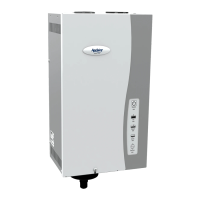
NOTE: If you have an Aprilaire Model 800 Steam Humidifier and a Model 850
Fan Pack, they will operate independently of any HVAC (Heating, Ventilating
and Air Conditioning) equipment.
To disable the humidifier, press the “OFF” button. The control will remain on and
display “OFF” plus the actual RH but will not allow the humidifier to operate.
The control must be ON in order to adjust the RH setting.
SETTING THE DESIRED RH LEVEL
Use the
and buttons to display and raise or lower the RH setting. When
pressing the and buttons, “SET” and the RH setting will be displayed.
Each press of the buttons will change the setting by 1% RH. If a button is
pressed and held, the setting will change 1% RH every 1/2 second. “SET” will
disappear and the display will once again show the actual RH 5 seconds after
the buttons are pressed.
English 1514 English


 To Next Page
 Loading...