11
- Installed at least 0.5m above the ground and more than 0.8m away from the corner.
Note: To prevent signal dilution, do not install the DTU directly above metal or concrete.
Step 3: Choose the Installation Method
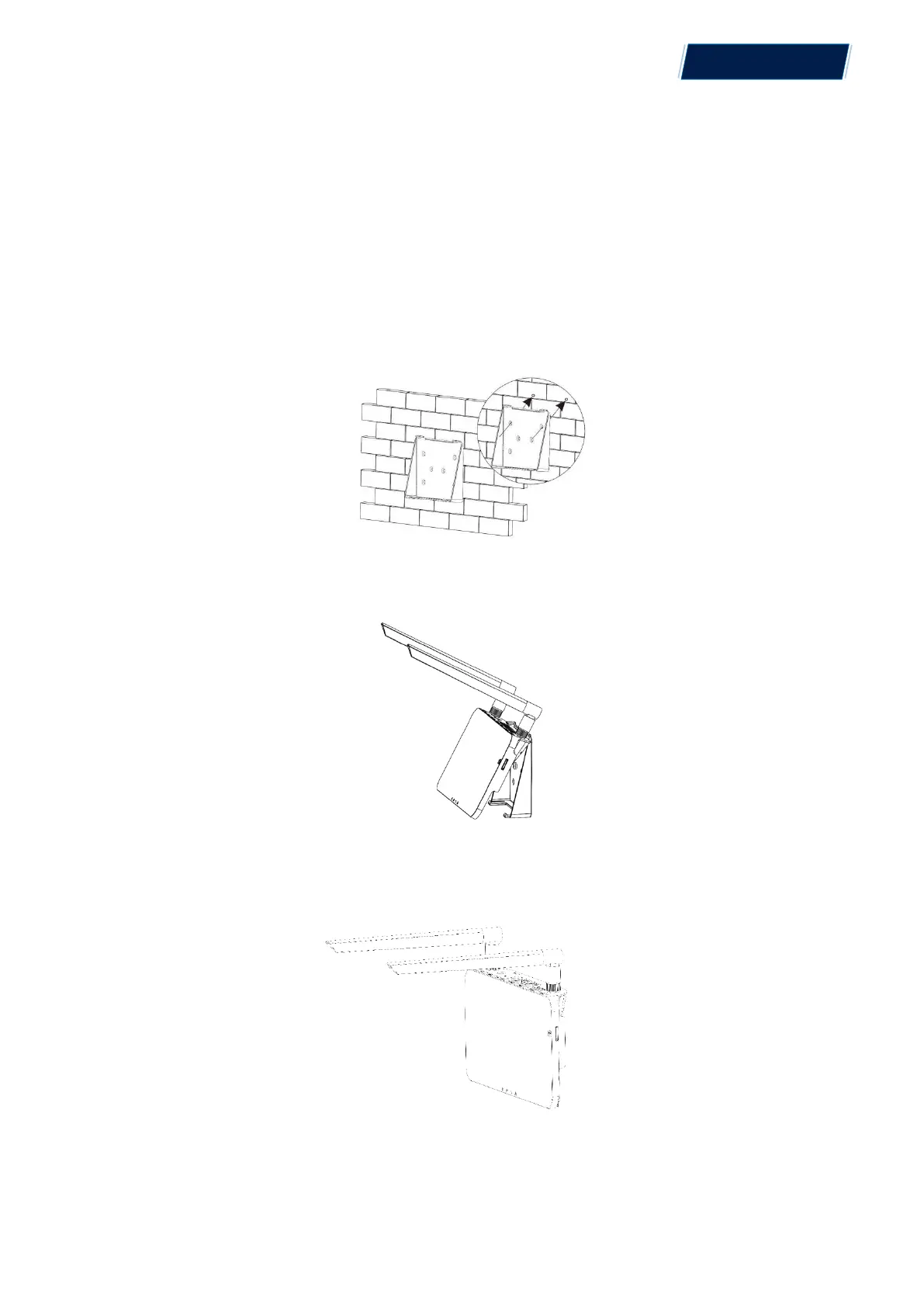
Option 1: Mount the DTU on the wall.
- Screw the bracket on the wall. Choose at least two screw holes (one from each side) to affix the
bracket (the M4 screws need to prepare by installer);
- Match the brackets upper buckle with MAC
TM
DTU;
- Match the brackets lower buckle by gently press the lower side of the MAC
TM
DTU until you
hear a click. Please make sure the antennas are vertical to the wall.
Option 2: Place the DTU on the table
- Place DTU on the table. Ensure the antennas are vertical to the table;
© 2021 Aptos Solar Technology, LLC. All rights reserved.
MAC
TM
DTU


 To Next Page