13
B)
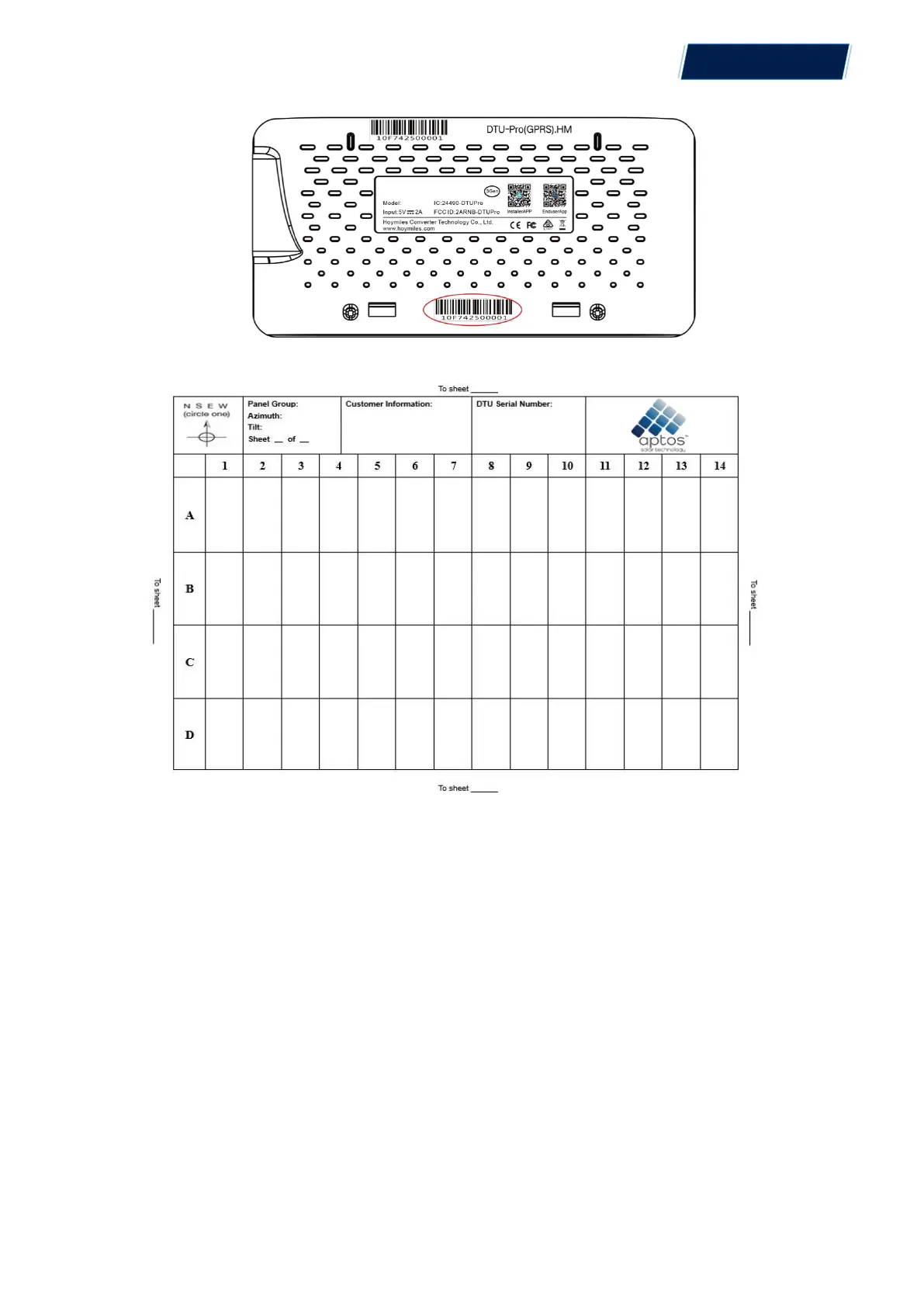
Complete system information of the installation map shown as follows.
6. Site Creation on HMP
A. Install Aptos Installer APP by searching “Aptos” at the App Store (IOS) or Play Store
(Android).
B. Open the APP and login in with your installer account name and password. If you are a
new installer with Aptos, please apply an Installer account from your distributor in
advance.
C. Add Station, select the “Station” tab on the bottom, then select “⊕” on the right top side of
the page.
D. Select “Quick” for Single-DTU and “Profession” for Multi-DTU.
E. Please fill in the station details accordingly, and press “Next” after completed.
F. Press “Add DTU ID”, scan the DTU ID (or you can manually input ID) and press “Next” after
complete.
© 2021 Aptos Solar Technology, LLC. All rights reserved.
MAC
TM
DTU


 To Next Page