12
a. Plug in the power adapter to power the DTU;
b. Set up with Internet.
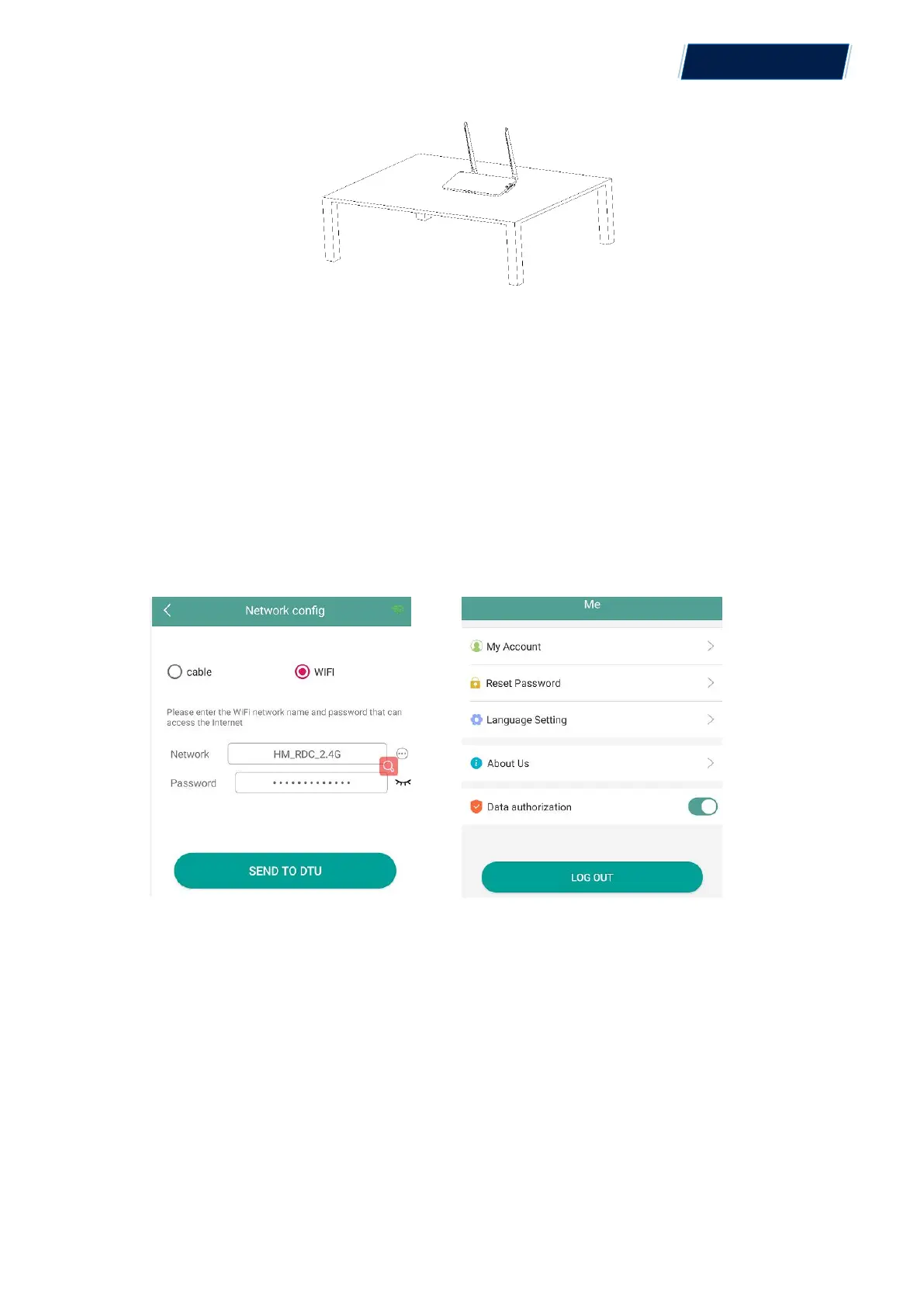
a. Use a smart phone or tablet to open the Installer App and log-in. Approach to “Me”
on the bottom
of the page and then “Network Configuration”. Complete the WiFi configuration (for WiFi
option);
b. Use the LAN cable. Connect one side with the house router and the other side with the DTU
Ethernet port
Use the smart phone/tablet to open the Installer App and login. Approach to “Me” on the
bottom of the page and then “Network Configuration”, select “Ethernet” (for Ethernet option).
5. Complete Installation Map
Please complete the installation map.
A)
Peel the serial number label (as circled below) from the DTU and place it on the installation
map.
© 2021 Aptos Solar Technology, LLC. All rights reserved.
MAC
TM
DTU


 To Next Page