Button
Function
7
'l
.Press Flash button to
test the flash
output.
2.Press Flash button to
switch to flash mode.
L/R
Press L/R button to switch
between left, right,
and full brightness mode.
-pr
Press the
-.p;
to switch to full light mode.
Function and operation
Button
information
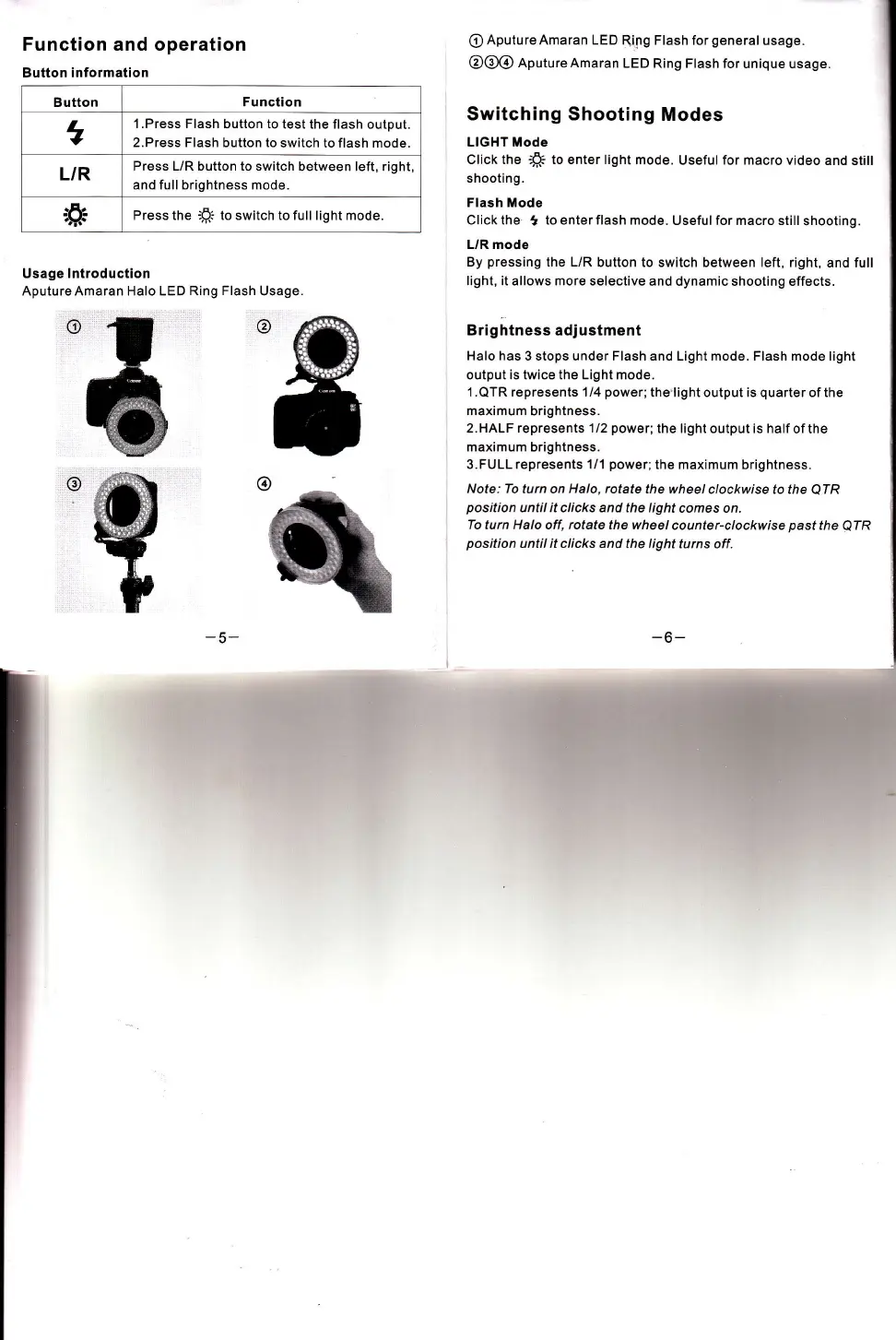
Usage lntroduction
AputureAmaran Halo LED
Ring Flash
Usage.
-5-
r
@
*,
@
@
@
Aputure Amaran LED
Ring Flash for
general
usage.
@@@
nputureAmaran
LED Ring Flash for
unique usage.
Switching Shooting
Modes
LIGHT Mode
Click the
-B;
to enter light mode.
Useful for macro video
and still
shooting.
Flash Mode
Click the
t
to enter flash mode.
Useful for macro still
shooting.
L/R mode
By
pressing
the L/R
button to switch between left, right,
and full
light,
it allows more selective and
dynamic shooting effects.
Brightness adjustment
Halo has
3 stops under Flash and Light mode. Flash mode light
output is twice the Light mode.
1 .QTR represents 1/4
power;
the
light output is
quarter
of the
maximum
brightness.
2. HALF represents 1 /2
power;
the I ight output is half
of the
maximum brightness.
3.FULL represents 1/1
power;
the maximum brightness.
Note: To
turn on
Halo, rotate
the wheel
clockwise to the
QTR
position
until it clicks and the light
comes on.
To turn Halo off,
rotate
the wheel
counter-clockwise
past
the
QTR
position
until it clicks and the
light turns off.
-6-
o








 To Next Page