-12-
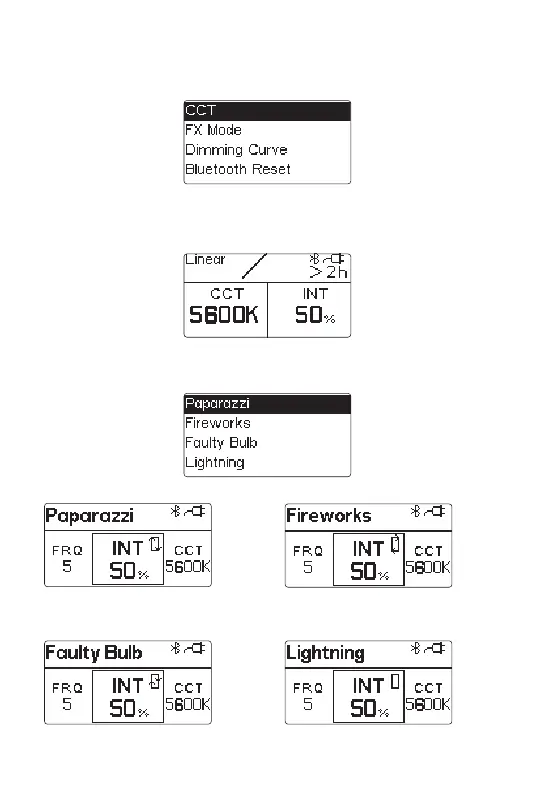
2) Click the MENU key to enter the MENU interface, as shown below.
3) CCT mode
Rotate the "MENU" key to select MENU options, and click the "MENU" key to enter
the selected MENU items;To exit the MENU interface, click the "MENU" key and select
"exit" to return to the CCT interface.
* The CCT can be 3200K, 5600K or "random"
in the firework light effect mode.
* In lighting mode, short press the “OK” button
to single trigger the light effect, long press the
“OK” button to enter the cycle mode.
b. Fireworks Modea. Paparazzi Mode
c. Faulty bulb Mode d. Lightning Mode
Select "CCT" from the menu interface and enter THE CCT mode. Rotate "MENU" to
adjust CCT;Rotate the "OK" key to adjust the INT.Click "OK" to switch fixed CCTS:
2700K, 3200K, 4300K, 5600K, 6500K.
4) FX mode
Select "FX Mode" from the menu interface. Rotate and click "OK" to enter different
FX modes.



 To Next Page
 Loading...








