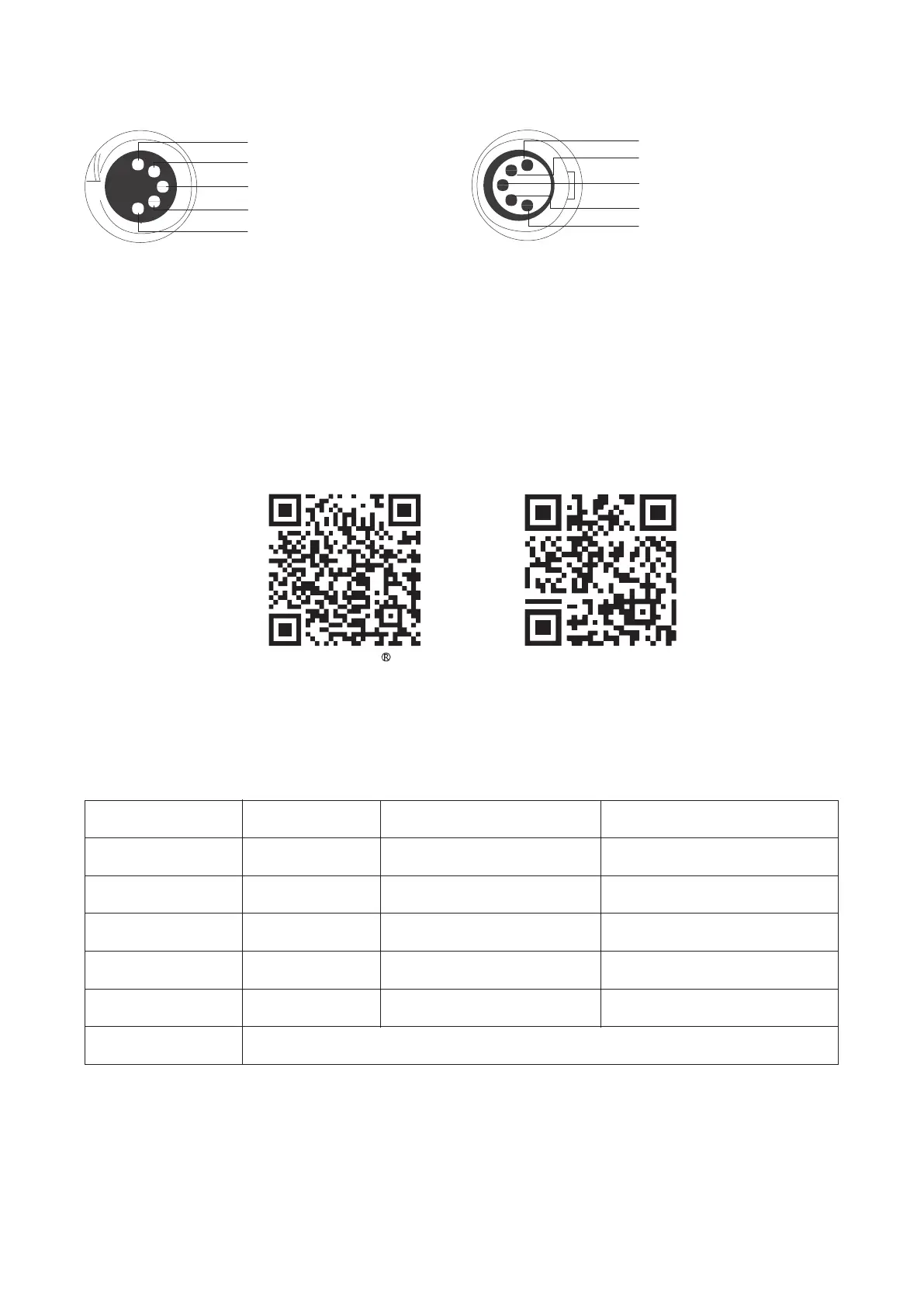
4.2 DMX Interface Info
1
2
3
4
5
1
2
3
4
5
Signal Common
Data 2+ (Optional Secondary Data Link)
Data 2- (Optional Secondary Data Link)
Data 1+ (Primary Data Link)
Data 1- (Primary Data Link)
Signal Common
Data 2+ (Optional Secondary Data Link)
Data 2- (Optional Secondary Data Link)
Data 1+ (Primary Data Link)
Data 1- (Primary Data Link)
4.3 DMX Profile
The MT Pro offers a variety of DMX modes. Please find a detailed overview of all DMX modes in the document,
DMX Chart is available for free download on the Aputure official website https://www.aputure.com.
5. Using the Sidus Link APP
You can download the Sidus Link app from the iOS App Store or Google Play Store for enhancing the
functionality of the light. Please visit Sidus.link/app/help for more details regarding how to use the app to
control your Aputure lights.
Sidus.link/app/helpGet Sidus Link App
Specifications
- 10 -
Power Input
CRI
TLCI
CQS
CCT Range
Weight
Control Methods
9W
95
98
96
2000 - 10000 K
391 g / 0.86 lbs
7.5W
3.7 V / 4200 mAh
100%: 2 hours
2 hours(USB DC 5 V / 2 A)
-10°C - +45°C
Power Output
Battery
Battery Runtime
Charging time
Operating Temperature
Dimensions (L x W x H)
Sidus Link APP, DMX,CRMX, On-board
40 x 35 x 300 mm /
1.57 x 1.38 x 11.81 in













 To Next Page