Operations
1. Power ON/OFF
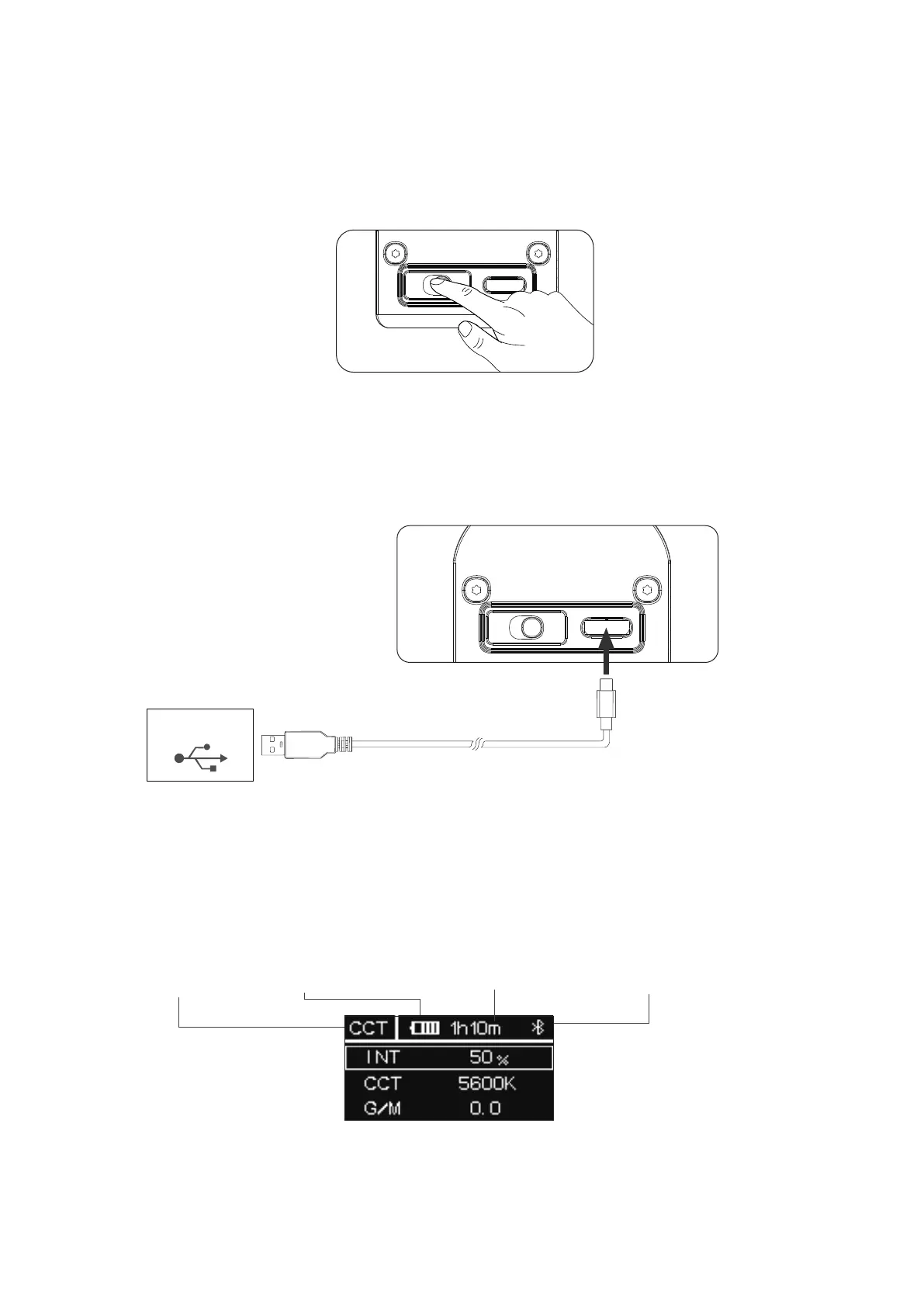
Adjust the position of the power switch to turn the light on or off.
2. Type-C charging
As the light is charging, the on-screen battery level indicator will animate to show the battery's status. After the
battery is fully charged, the battery level indicator will be displayed as full.
* Please use the included USB-C cable to charge MT Pro. Using a different cable won’t guarantee optimal charging.
* Supports 5V/2A charging via charger or power banks.
* Charging rate will slow down when the light is powered on. Turn the light off for optimal charging.
滚滚长江东逝水
3. Manual Control
3.1 UI Introducing
Current mode Battery level
Battery remaining time
Wireless connection status
3.2 Menu
Press MENU to access the system menu, rotate and press the control wheel to select CCT / HSI / RGB / FX
/Custom FX / DMX Setting / CRMX Setting / BT Setting / Language / Factory Reset / Product Info /
Screensaver / Exit.
- 5 -
ON/OFF
5V/2A
ON/OFF













 To Next Page