Need help?
Do you have a question about the Aqara Vibration Sensor and is the answer not in the manual?
Details the Aqara Vibration Sensor's capabilities, acceleration sensor, and Zigbee communication protocol.
Instructions for activating the accessory using the Aqara Home app and hub.
Guidance on performing an effective range test by pressing the reset button.
Describes placing the sensor directly or using adhesive for installation.
Lists critical safety warnings regarding product usage, environment, and repair.
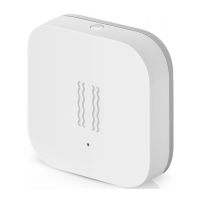
The Aqara Vibration Sensor is a smart home accessory designed to detect vibration and movement of objects. It integrates a high-precision acceleration sensor to achieve this functionality. This device communicates with a central hub using the Zigbee protocol, allowing it to be part of a broader smart home ecosystem.
The primary function of the Aqara Vibration Sensor is to detect vibrations and movements. When an object to which it is attached experiences movement or vibration, the sensor registers this event. This capability makes it suitable for various security and automation applications within a home environment. For instance, it can detect glass breaks, which is a common use case for enhancing home security. Upon detecting such an event, the sensor can trigger alarms, either locally through the hub or remotely via notifications to the user's smartphone, depending on the configured smart scenes. The sensor's ability to work with other smart accessories means it can initiate a chain of actions; for example, if it detects a vibration on a window, it could simultaneously turn on lights or activate a security camera. The device is designed to be an integral part of a smart home system, providing real-time data about the physical state of monitored objects.
To use the Aqara Vibration Sensor, a hub is required. Specifically, an Aqara Hub is necessary to enable the sensor to work with Apple HomeKit technology, expanding its integration possibilities within the Apple ecosystem. The setup process is straightforward, beginning with ensuring that the Aqara Home app is downloaded and an Aqara hub is installed. Users then open the app, navigate to the "Add Device (Accessory)" section, select "Vibration Sensor," and follow the on-screen instructions to pair it with the hub. If connection issues arise, moving the sensor closer to the hub is recommended.
Once paired, the sensor can be installed in the desired position. There are two primary installation methods:
An "Effective Range Test" feature is available to confirm proper communication with the hub. This test is performed by a single press of the reset button on the accessory while it is in its desired position. If the hub emits voice prompts, it indicates that the sensor is communicating effectively with the hub. To ensure optimal signal strength, it is advised to avoid placing the sensor on metal surfaces.
The sensor also includes a multi-functional reset button and an indicator light. The reset button serves two purposes:
The Aqara Vibration Sensor is specifically designed for indoor use. It is not intended for use in humid environments or outdoors, as exposure to moisture can damage the device. Users should also be cautious not to spill water or other liquids onto the product. The device should not be placed near heat sources or in enclosures without proper ventilation.
The Aqara Vibration Sensor is designed to be a low-maintenance device. It operates on a CR2032 battery, which provides power for its operations. While the manual does not specify battery life, devices of this type typically offer extended battery performance due to their low power consumption. When the battery eventually depletes, it can be replaced by the user.
Regarding repairs, the manual explicitly states that users should not attempt to repair the product themselves. All repairs should be performed by an authorized professional to ensure the device's integrity and continued functionality. This guideline is standard for electronic devices to prevent further damage or safety hazards.
The product is not a toy and should be kept away from children. This is a general safety precaution for electronic devices that may contain small parts or pose other hazards if misused by children.
The Aqara Vibration Sensor is primarily intended to enhance the convenience and entertainment aspects of home life, as well as to provide reminders about device status. It is important for users to adhere to the product use instructions, as the manufacturer will not be liable for any risks or property losses resulting from violations of these instructions. This emphasizes the importance of proper installation, usage, and adherence to environmental guidelines to ensure the device operates as intended and safely.
 General
| Model | DJT11LM |
|---|---|
| Battery | CR2032 |
| Wireless Protocol | Zigbee |
| Detection | Vibration, tilt, and drop |
| Battery Life | Up to 2 years |
| Sensitivity | Adjustable |
| Dimensions | 36 x 36 x 9 mm |
| Operating Humidity | 0% - 95% RH |
| Compatibility | Aqara Home app |
| Installation | Adhesive |

 To Next Page