Need help?
Do you have a question about the Aqara Door and Window Sensor and is the answer not in the manual?
Explains the sensor's function, low energy use, and simple peel-and-stick installation.
Instructions for app setup, device pairing, and physical installation of the sensor.
Details on model, dimensions, wireless protocol, battery, operating conditions, and frequency.
Critical safety precautions, usage limitations, and regulatory compliance statements.
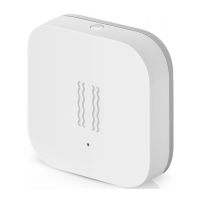
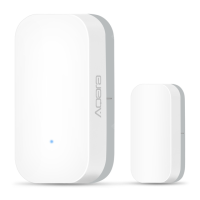
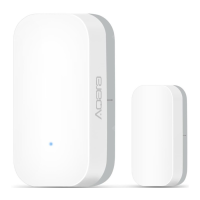
The Aqara Door and Window Sensor is a smart home accessory designed to detect the open and close state of doors or windows. It operates by monitoring the distance between its main sensor unit and a separate magnet. This device is engineered for ease of use, featuring a low-energy consumption design and requiring no special tools for installation; users simply peel and stick it into place.
To function, the Aqara Door and Window Sensor requires an Aqara Hub. The hub acts as the central control unit, enabling the sensor to connect to your smart home ecosystem. Specifically, an Aqara Hub is essential to integrate the sensor with HomeKit technology, allowing for seamless control and automation within Apple's smart home platform. For detailed information on HomeKit integration and other functionalities, users can refer to the Aqara website.
This product is intended exclusively for indoor use. It is not designed for outdoor environments or areas with high humidity, and users should avoid placing it in such conditions. Care should also be taken to prevent moisture, water, or other liquids from spilling onto the device. Furthermore, the sensor should not be placed near heat sources or within an enclosure unless adequate ventilation is ensured.
Setting up the Aqara Door and Window Sensor is a straightforward process. Before activating the device, users must ensure they have the Aqara Home app downloaded on their smartphone and an Aqara Hub already installed. The setup procedure involves opening the Aqara Home app, navigating to the "Home" section, and then tapping the "+" icon in the top right corner to access the "Add Device (Accessory)" page. From there, users select "Door and Window Sensor" and follow the on-screen instructions to complete the pairing process. If the connection fails during setup, it is recommended to move the sensor closer to the Hub and attempt the connection again.
For installation, an effective range test can be performed to ensure optimal communication between the sensor and the Hub. This test involves a single press of the reset button on the accessory while it is positioned at the desired location. If the Hub emits voice prompts, it indicates that the sensor can communicate effectively with the Hub from that position. To maximize signal strength, it is advisable to avoid installing the sensor on metal surfaces.
The physical installation involves a few simple steps. First, users need to remove the protective film from both the sensor unit and the magnet. During installation, it is crucial to align the marker line present on both the sensor unit and the magnet. This alignment ensures accurate detection of open and close states. The sensor is designed to be stuck onto doors or windows. It is recommended to install the larger sensor unit on the unmovable surface (e.g., the door frame) and the smaller magnet on the movable surface (e.g., the door or window itself). A key consideration for proper functioning is to ensure that the installation gap between the sensor unit and the magnet is less than 22 mm when the door or window is closed. Before sticking the components, it is important to keep the surface clean and dry to ensure a secure adhesion.
The Aqara Door and Window Sensor is equipped with an indicator light, which provides visual feedback on its status. It also features a reset button. A long press of this button for 3 seconds serves two purposes: it can reset the device or initiate the process to connect it to the network. A single press of the reset button, on the other hand, is used to perform the effective range test, helping users confirm that the sensor is within communication range of the Hub.
While the Aqara Door and Window Sensor enhances the convenience and entertainment aspects of home life by providing status updates, it is important to note that this product is not a toy and should be kept away from children. Furthermore, it is not designed to be used as security equipment for homes, buildings, warehouses, or any other locations where robust security is paramount. The manufacturer explicitly states that it will not be liable for any risks or property losses resulting from a user violating the product use instructions. Users are also advised against attempting to repair the product themselves; all repairs should be carried out by an authorized professional.
 General
| Wireless Protocol | Zigbee 3.0 |
|---|---|
| Model | MCCGQ11LM |
| Battery Life | Up to 2 years |
| Compatibility | Apple HomeKit |
| Battery Type | CR1632 |
| Operating Temperature | -10°C to 45°C |
| Operating Humidity | 0% to 95% (non-condensing) |
| Installation | Adhesive |
| Dimensions | 41 x 22 x 11 mm (main body) |

 To Next Page