
 Need help?
Do you have a question about the Aqara Motion Sensor and is the answer not in the manual?
Explains the Aqara Motion Sensor's function: detecting human movement with passive infrared for smart scene automation, low energy use, and easy installation.
Confirms the sensor communicates effectively with the Hub by listening for voice prompts after a single button press.
Place the Motion Sensor directly where it is needed.
Remove the protective film from the sensor and stick it to the desired position.
Attach the Motion Sensor to the stand, then stick the stand to the desired location.
Install between 1.2-2.1m height for best detection. Align lens with detection area near surface edges.
The Aqara Motion Sensor is a smart home accessory designed to detect human movement using passive infrared technology. This device integrates seamlessly with other smart accessories to automate various scenes within your home, such as automatically turning lights on or off based on detected activity or inactivity. Its design prioritizes low energy consumption, making it an efficient addition to your smart home ecosystem. One of its key advantages is its ease of installation; no special tools are required, allowing for simple placement or adhesion almost anywhere you need it.
To function, the Aqara Motion Sensor requires a hub. Specifically, an Aqara Hub is necessary to enable the Motion Sensor to work with Apple HomeKit technology, expanding its compatibility and integration possibilities within a broader smart home framework. For more detailed information regarding HomeKit integration and other features, users can refer to the Aqara website. It's important to note that this product is designed exclusively for indoor use.
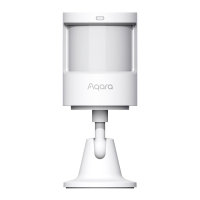
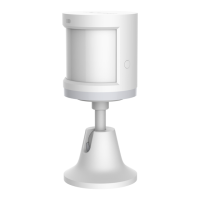
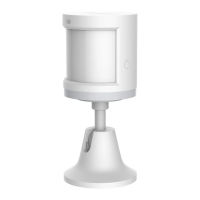
The device features a straightforward interface, including a Reset Button and an Indicator Light/Fresnel Lens. The Reset Button serves a dual purpose: a long press for 3 seconds initiates a reset of the device, while a single press performs an effective range test. The Indicator Light/Fresnel Lens is crucial for the sensor's operation, as it is responsible for detecting infrared changes indicative of motion. The sensor also comes with a stand, offering flexibility in its placement and orientation.
Setting up the Aqara Motion Sensor is a quick and user-friendly process. First, users need to add the Hub to the accompanying app by following the instructions provided in the Hub's Quick Start Guide. Once the Hub is set up, users can open the app, navigate to the "Home" section, and tap the "+" icon in the top right corner to access the "Add Device (Accessory)" page. From there, they select "Motion Sensor" and follow the on-screen instructions to complete the pairing process. If connection issues arise, the troubleshooting tip suggests moving the accessory closer to the Hub and attempting the connection again.
For installation, an effective range test is recommended to ensure optimal communication between the Motion Sensor and the Hub. This test is performed by pressing the reset button on the accessory once it's placed in the desired position. If the Hub emits voice prompts, it confirms that the accessory can effectively communicate with the Hub. A crucial tip for maximizing signal strength is to avoid placing the sensor on metal surfaces.
The Aqara Motion Sensor offers multiple installation options to suit various needs. Option 1 involves simply placing the Motion Sensor where it is needed. This method is ideal for temporary placements or areas where adhesion is not preferred. Option 2 provides a more secure installation by utilizing an adhesive film. Users are instructed to remove the protective film, which is a round sticker found in the box, and then stick the sensor to the desired position. This method ensures the sensor remains firmly in place. Option 3 combines the sensor with its included stand for flexible positioning. In this scenario, users stick the Motion Sensor to the stand, and then stick the stand to the desired location. For both adhesive options, it is essential to keep the surface clean and dry to ensure proper adhesion.
When considering placement, there are specific recommendations for optimal performance. The recommended installation height for the Aqara Motion Sensor is between 1.2 meters and 2.1 meters. Installing the sensor below 1.2 meters may result in a decreased detection area, while placing it above 2.1 meters could lead to blind spots within the detection zone. The sensor has a maximum detection distance of 7 meters and a maximum detection angle of 170 degrees. It is also important to align the lens with the intended detection area during installation. For best results, the sensor should be placed or pasted as close as possible to the edge of a table or cabinet, ensuring an unobstructed view of the area it is meant to monitor. These considerations help ensure the sensor operates at its full potential, providing reliable motion detection for your smart home setup.
 General
| Model | RTCGQ11LM |
|---|---|
| Detection Angle | 170° |
| Battery Type | CR2450 |
| Wireless Protocol | Zigbee |
| Battery Life | Up to 2 years |
| Detection Distance | 7 meters |
| Operating Humidity | 0 – 95%RH, no condensation |
| Compatibility | Aqara Home, Apple HomeKit |
| Operating Temperature | -10°C~+45°C (14°F~113°F) |



 To Next Page