EasyManua.ls Logo

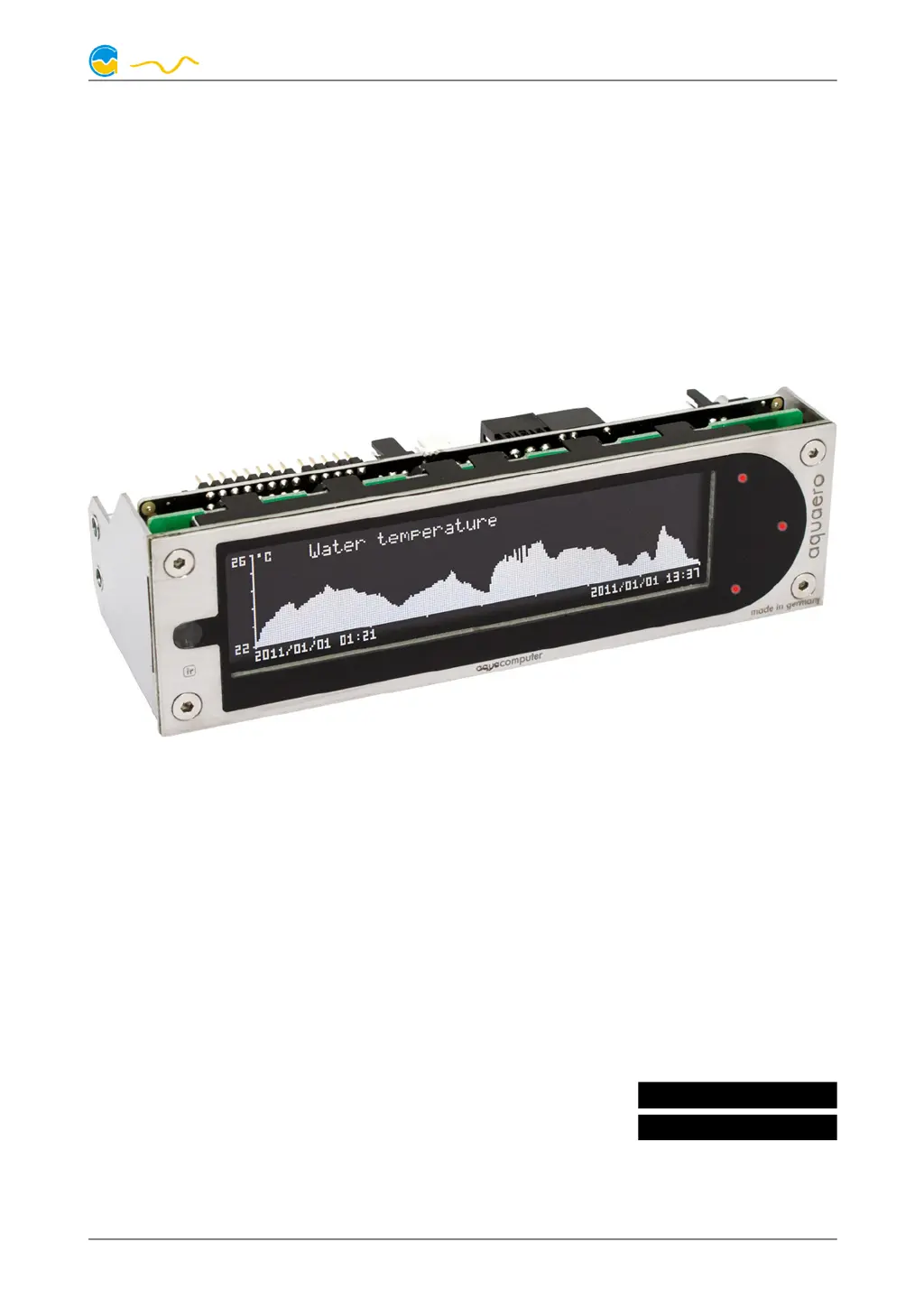
Aqua Computer aquaero 6 - User Manual

Aqua Computer aquaero 6
52 pages
Print Icon
To Next Page IconTo Next Page
Loading...
AQUAERO 5 / AQUAERO 6
User and installation manual
User and installation manualUser and installation manual
User and installation manual
aquaero 5
aquaero 6
Current as of June 2019
All information contained in this manual is subject to change without prior notice.
All rights reserved.
© 2014-2019 Aqua Computer GmbH & Co. KG - 1 -
Gelliehäuser Str. 1, 37130 Gleichen
c
o
m
p
u
t
e
r
a
q
u
a
ENGLISH: PAGE 1
DEUTSCH: SEITE 53

Table of Contents

Questions and Answers

Summary

Safety Precautions

General Safety Guidelines

Essential safety guidelines for using the aquaero device, covering handling, data backup, and power.

Electrical Connectors

Sensors Connector

Details on connecting up to eight temperature sensors to the device.

USB Connector

Connection for PC communication, standby power, and device identification.

Aquaero 5;6 Operation Modes

Operation via USB Connection

Connecting and configuring the device using the aquasuite software via USB.

Standalone Operation (No USB)

Using the device autonomously without a PC connection for temperature control.

Device Display and Button Control

Controlling the device using its integrated LC display and physical keys (PRO/XT models).

Infrared Remote Control Operation

Operating the device using the aquaremote infrared remote control (PRO/XT models).

Device Configuration Menu Navigation

Navigating and utilizing the device's on-screen configuration menu.

Core Operation Concepts

Sensor Integration Overview

Overview of the device's flexible concept for linking sensors to various outputs.

Controller Models Explained

Details the available controller models for managing outputs based on sensor data.

Available Output Types

Lists the various types of outputs the device can control, such as fans, LEDs, and pumps.

Aquasuite Software Guide

Software Installation and Basics

Guide to downloading, installing, and basic operation of the aquasuite software.

Data Logging and Analysis

Data Logging Settings

Configuring data logging parameters, data sources, and time intervals.

Analyzing Logged Data with Charts

Evaluating logged data visually using charts and chart configuration options.

Sensor Configuration Details

Temperature Sensor Setup

Configuring temperature sensors, including naming and offset adjustments.

Virtual and Software Sensors

Setting up virtual sensors and utilizing software-provided temperature data.

Flow, Power, Fill Level, Pressure Sensors

Configuration details for flow, power measurement, fill level, and pressure sensors.

Controller Configuration Methods

Curve Controller Setup

Setting up adjustable control curves based on temperature values.

Set Point, Two Point, and Preset Controllers

Configuring controllers for maintaining target temperatures or simple on/off switching.

Fan Configuration Settings

Output Configuration Options

Pump Configuration Methods

User Interface and Display Settings

Alarm System Configuration

Troubleshooting Common Issues

Firmware Recovery and USB Connection

Procedures for firmware recovery and troubleshooting USB connection problems.

Output and Data Update Problems

Diagnosing issues with outputs not performing correctly or data not updating.

Key and Remote Control Malfunctions

Resolving malfunctions of device keys and the infrared remote control.

Aquabus Device Discovery Errors

Solutions for expansion boards not being discovered on the aquabus.

Recurring Aquabus Communication Errors

Addressing repeated aquabus communication errors and interference.

Summary

Safety Precautions

General Safety Guidelines

Essential safety guidelines for using the aquaero device, covering handling, data backup, and power.

Electrical Connectors

Sensors Connector

Details on connecting up to eight temperature sensors to the device.

USB Connector

Connection for PC communication, standby power, and device identification.

Aquaero 5;6 Operation Modes

Operation via USB Connection

Connecting and configuring the device using the aquasuite software via USB.

Standalone Operation (No USB)

Using the device autonomously without a PC connection for temperature control.

Device Display and Button Control

Controlling the device using its integrated LC display and physical keys (PRO/XT models).

Infrared Remote Control Operation

Operating the device using the aquaremote infrared remote control (PRO/XT models).

Device Configuration Menu Navigation

Navigating and utilizing the device's on-screen configuration menu.

Core Operation Concepts

Sensor Integration Overview

Overview of the device's flexible concept for linking sensors to various outputs.

Controller Models Explained

Details the available controller models for managing outputs based on sensor data.

Available Output Types

Lists the various types of outputs the device can control, such as fans, LEDs, and pumps.

Aquasuite Software Guide

Software Installation and Basics

Guide to downloading, installing, and basic operation of the aquasuite software.

Data Logging and Analysis

Data Logging Settings

Configuring data logging parameters, data sources, and time intervals.

Analyzing Logged Data with Charts

Evaluating logged data visually using charts and chart configuration options.

Sensor Configuration Details

Temperature Sensor Setup

Configuring temperature sensors, including naming and offset adjustments.

Virtual and Software Sensors

Setting up virtual sensors and utilizing software-provided temperature data.

Flow, Power, Fill Level, Pressure Sensors

Configuration details for flow, power measurement, fill level, and pressure sensors.

Controller Configuration Methods

Curve Controller Setup

Setting up adjustable control curves based on temperature values.

Set Point, Two Point, and Preset Controllers

Configuring controllers for maintaining target temperatures or simple on/off switching.

Fan Configuration Settings

Output Configuration Options

Pump Configuration Methods

User Interface and Display Settings

Alarm System Configuration

Troubleshooting Common Issues

Firmware Recovery and USB Connection

Procedures for firmware recovery and troubleshooting USB connection problems.

Output and Data Update Problems

Diagnosing issues with outputs not performing correctly or data not updating.

Key and Remote Control Malfunctions

Resolving malfunctions of device keys and the infrared remote control.

Aquabus Device Discovery Errors

Solutions for expansion boards not being discovered on the aquabus.

Recurring Aquabus Communication Errors

Addressing repeated aquabus communication errors and interference.

Aqua Computer aquaero 6 Specifications

General IconGeneral
BrandAqua Computer
Modelaquaero 6
CategoryController
LanguageEnglish

Related product manuals