EasyManua.ls Logo

Aqua Computer aquaero 5 - User Manual

Aqua Computer aquaero 5
52 pages
Print Icon
To Next Page IconTo Next Page
Loading...
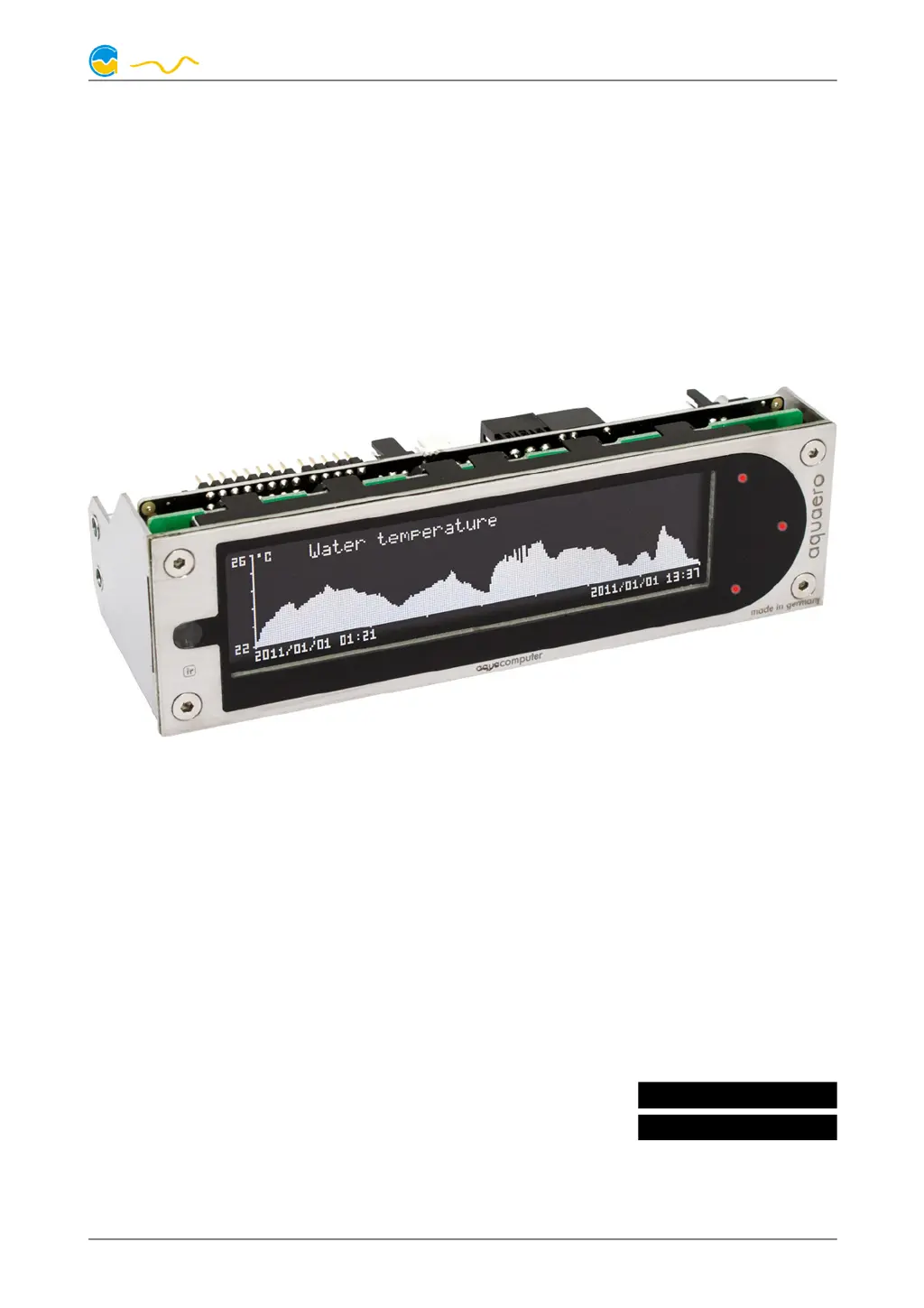
AQUAERO 5 / AQUAERO 6
User and installation manual
User and installation manualUser and installation manual
User and installation manual
aquaero 5
aquaero 6
Current as of June 2019
All information contained in this manual is subject to change without prior notice.
All rights reserved.
© 2014-2019 Aqua Computer GmbH & Co. KG - 1 -
Gelliehäuser Str. 1, 37130 Gleichen
c
o
m
p
u
t
e
r
a
q
u
a
ENGLISH: PAGE 1
DEUTSCH: SEITE 53

Table of Contents

Questions and Answers

Summary

Electrical Connectors

Connector Overview

Schematic showing the connectors of the aquaero 5/6 units.

Power Connector

Details on connecting the power plug from the PSU.

Fan Connectors

Explains voltage regulated fan outputs with speed signal processing.

PWM 1;2 Connector

Describes pulse width modulated 12V outputs for LEDs.

Sensors Connector

Details the connector for up to 8 temperature sensors and compatible sensors.

USB Connector

Explains the connector for USB communication and standby power supply.

Flow 1 and Flow 2 Connectors

Details connectors for flow sensors and firmware version relevance.

Device Operation

Operation via USB Connection

Explains connecting and configuring the device via USB and aquasuite.

Operation via Keys and Display (PRO and XT)

Details operation using the LC display and physical keys on PRO/XT models.

Configuration Menu (PRO and XT)

Details accessing and navigating the device's configuration menu.

Operation Concept

Sensors

Lists the types of sensors available for the device.

Controllers

Details the different controller models available for managing outputs.

Outputs

Lists the available output types that can be controlled.

Aquasuite Software

Installation

Provides instructions for downloading and installing the aquasuite software.

Basic Operation

Explains the basic layout and operation of the aquasuite program window.

Overview Pages (Aquasuite)

Creating New Overview Pages

Details the process of creating new overview pages and entering edit mode.

Adding New Elements

Describes how to add new elements to an overview page.

Editing Existing Elements

Explains how to edit existing elements on overview pages.

Data Quick View and Data Log

Log Settings

Explains how to configure log data sets, intervals, and sources.

Analyze Data

Describes evaluating logged data by creating and configuring charts.

Sensor Configuration

Temperature Sensors

Explains naming and adjusting offsets for temperature sensors.

Software Temperature Sensors

Explains using software sensors to transfer PC data like CPU temp to the aquaero.

Flow Sensors

Details naming, calibration, and display limits for flow sensors.

Controller Configuration

Curve Controllers

Details setting up control curves based on temperature values.

Set Point Controllers

Explains controllers that maintain a specific target temperature.

Fan Configuration

Minimum and Maximum Power

Explains setting minimum and maximum power for fan outputs.

Power, Speed, or PWM Controlled Mode

Details power, speed, and PWM control modes for fans.

Pump Configuration

Aquastream ULTIMATE and Aquastream XT

Details configuration for aquastream ULTIMATE and XT pumps via aquabus.

D5 Pumps Connected via Aquabus

Explains configuration for D5 pumps connected via aquabus.

Alarm Actions

Alarm Levels

Details defining actions for different alarm levels and RGB LED behavior.

Alarm Configuration

Configure Alarm Monitoring

Explains configuring autonomous monitoring for temperature, fan, flow, and pump alarms.

Emergency Shutdown with Power Connect

Provides an example for emergency shutdown using the power connect accessory.

Emergency Shutdown with Power Switch Connector

Details an example for emergency shutdown using a power switch connector.

Data Log

Configure Log Data Sets

Details configuring data sources and time intervals for logging.

Functional Upgrades by Aquabus Devices

Compatible Aquabus Devices

Lists compatible aquabus devices and their expansion options.

Electrical Connection of Aquabus Devices

Details the electrical connection requirements for aquabus devices.

System Settings

Basic Settings (Aquasuite)

Troubleshooting

Summary

Electrical Connectors

Connector Overview

Schematic showing the connectors of the aquaero 5/6 units.

Power Connector

Details on connecting the power plug from the PSU.

Fan Connectors

Explains voltage regulated fan outputs with speed signal processing.

PWM 1;2 Connector

Describes pulse width modulated 12V outputs for LEDs.

Sensors Connector

Details the connector for up to 8 temperature sensors and compatible sensors.

USB Connector

Explains the connector for USB communication and standby power supply.

Flow 1 and Flow 2 Connectors

Details connectors for flow sensors and firmware version relevance.

Device Operation

Operation via USB Connection

Explains connecting and configuring the device via USB and aquasuite.

Operation via Keys and Display (PRO and XT)

Details operation using the LC display and physical keys on PRO/XT models.

Configuration Menu (PRO and XT)

Details accessing and navigating the device's configuration menu.

Operation Concept

Sensors

Lists the types of sensors available for the device.

Controllers

Details the different controller models available for managing outputs.

Outputs

Lists the available output types that can be controlled.

Aquasuite Software

Installation

Provides instructions for downloading and installing the aquasuite software.

Basic Operation

Explains the basic layout and operation of the aquasuite program window.

Overview Pages (Aquasuite)

Creating New Overview Pages

Details the process of creating new overview pages and entering edit mode.

Adding New Elements

Describes how to add new elements to an overview page.

Editing Existing Elements

Explains how to edit existing elements on overview pages.

Data Quick View and Data Log

Log Settings

Explains how to configure log data sets, intervals, and sources.

Analyze Data

Describes evaluating logged data by creating and configuring charts.

Sensor Configuration

Temperature Sensors

Explains naming and adjusting offsets for temperature sensors.

Software Temperature Sensors

Explains using software sensors to transfer PC data like CPU temp to the aquaero.

Flow Sensors

Details naming, calibration, and display limits for flow sensors.

Controller Configuration

Curve Controllers

Details setting up control curves based on temperature values.

Set Point Controllers

Explains controllers that maintain a specific target temperature.

Fan Configuration

Minimum and Maximum Power

Explains setting minimum and maximum power for fan outputs.

Power, Speed, or PWM Controlled Mode

Details power, speed, and PWM control modes for fans.

Pump Configuration

Aquastream ULTIMATE and Aquastream XT

Details configuration for aquastream ULTIMATE and XT pumps via aquabus.

D5 Pumps Connected via Aquabus

Explains configuration for D5 pumps connected via aquabus.

Alarm Actions

Alarm Levels

Details defining actions for different alarm levels and RGB LED behavior.

Alarm Configuration

Configure Alarm Monitoring

Explains configuring autonomous monitoring for temperature, fan, flow, and pump alarms.

Emergency Shutdown with Power Connect

Provides an example for emergency shutdown using the power connect accessory.

Emergency Shutdown with Power Switch Connector

Details an example for emergency shutdown using a power switch connector.

Data Log

Configure Log Data Sets

Details configuring data sources and time intervals for logging.

Functional Upgrades by Aquabus Devices

Compatible Aquabus Devices

Lists compatible aquabus devices and their expansion options.

Electrical Connection of Aquabus Devices

Details the electrical connection requirements for aquabus devices.

System Settings

Basic Settings (Aquasuite)

Troubleshooting

Aqua Computer aquaero 5 Specifications

General IconGeneral
BrandAqua Computer
Modelaquaero 5
CategoryController
LanguageEnglish

Related product manuals