YOUR WATERBAR· 25·
MANUAL - MINI TOUCH & FLEXIBLE TOUCH
7 | INITIAL OPERATION - MINI TOUCH
• STEP I
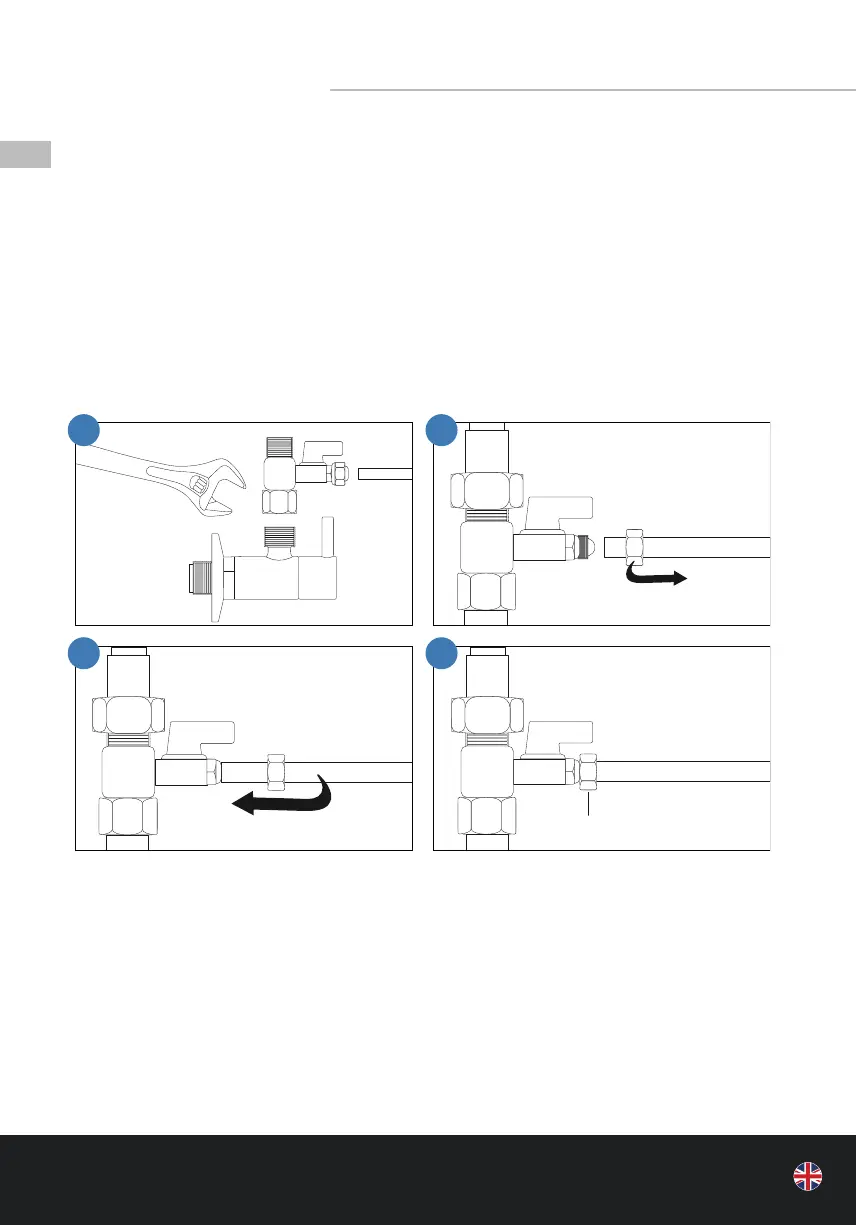
1. At rst, install the supplied angle stop valve between the cold water supply and the hose
leading to the sink tap. To do so, you need to turn o the cold water supply under the sink
beforehand.
2. Unscrew the hose leading to the sink tap. Insert the angle shut-o valve at this point and
tighten it.
3. Then slide on the supplied hose leading to the inlet of the water lter labelled “IN”.
4. Then tighten the nut.
• STEP II (Illustration next page)
5. The next step is to install the supplied wastewater clamp including the square black seal
just above the bend in the wastewater pipe.
6. Stick the supplied seal onto the wastewater pipe and drill a hole using a 6 mm drill bit.
7. Screw on the screw joint, place the drain clamp in the centre above the drilled hole and
tighten.
8. Insert the supplied hose leading to the outlet of the water lter labelled “OUT”, until it
clicks into place.
1 2
3 4
Shut-o Valve
Cold water supply
Hose to appliance
inlet „IN“
Screw tightly



 To Next Page