MANUAL - MINI TOUCH & FLEXIBLE TOUCH
YOUR WATERBAR
· 32·
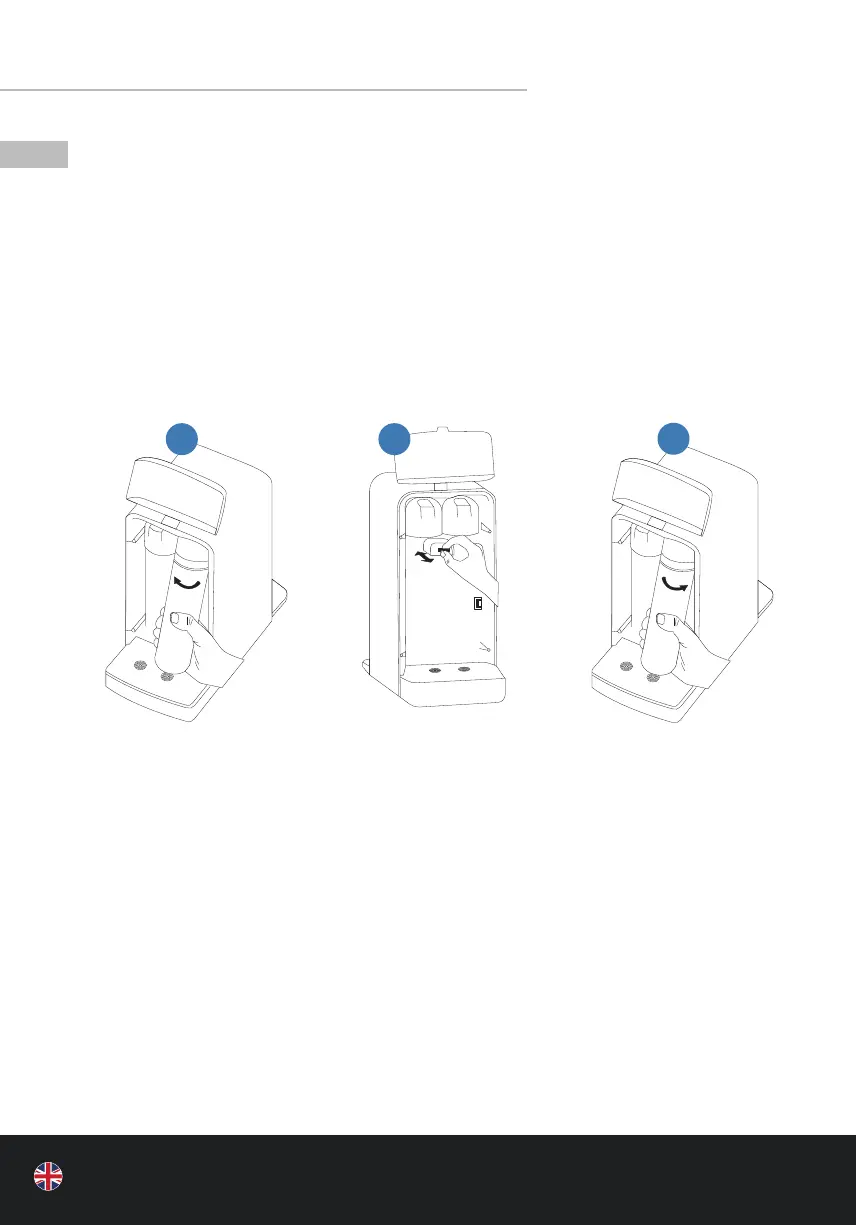
13 | MAINTENANCE AND FILTER REPLACEMENT
• INTRODUCTION
• Use only original replacement lters from aqua-global GmbH.
• Before you change the lter, close the water supply using the built-in angle valve and
drain the water from the tank completely by pressing the “Room” button. Then, discon-
nect the mains plug. Then follow the illustrated instructions below to change the lter. If
you have any problems, please contact the customer service. They will be happy to help
you. Please note that only specialized personnel are allowed to disassemble or modify
this product..
• FILTER REPLACEMENT
• RESET-FUNCTION
• IMPORTANT: After the lter replacement, insert the mains plug and conduct the RESET.
• Press and hold “ROOM” and “BABY” simultaneously for 6 seconds until a signal sounds
three times (deactivate the childproof lock beforehand).
• NOTES
• To ensure normal operation and water quality of the appliance, municipal drinking water
should be used as the source for the water inlet. If other water sources are used, they
must comply with the requirements of the drinking water criteria.
• The service life of the lter cartridge is subject to the average household water consump-
tion and the municipal water quality.
1
3
2



 To Next Page