Simpool Timer Model INSTRUCTION AND MAINTENANCE MANUAL
Programmable digital peristaltic pump ENGLISH
ADSP7000722 rev. 1.0 23/02/2017 46/64
3.3.4 Calibrating the Pump
The calibration of the pump allows to achieve more accurate dosing, as it allows to correct the dosing time in
relation to the actual flow rate of the pump. If the calibration is not carried out, theoretical dosing times are
calculated based on the pump rated flow rate value (read the value on the label), and could be different from the
real ones.
The rated flow rate and the actual flow rate could differ for a number of reasons related to the use of the device
(wear of the peristaltic tube, etc.).
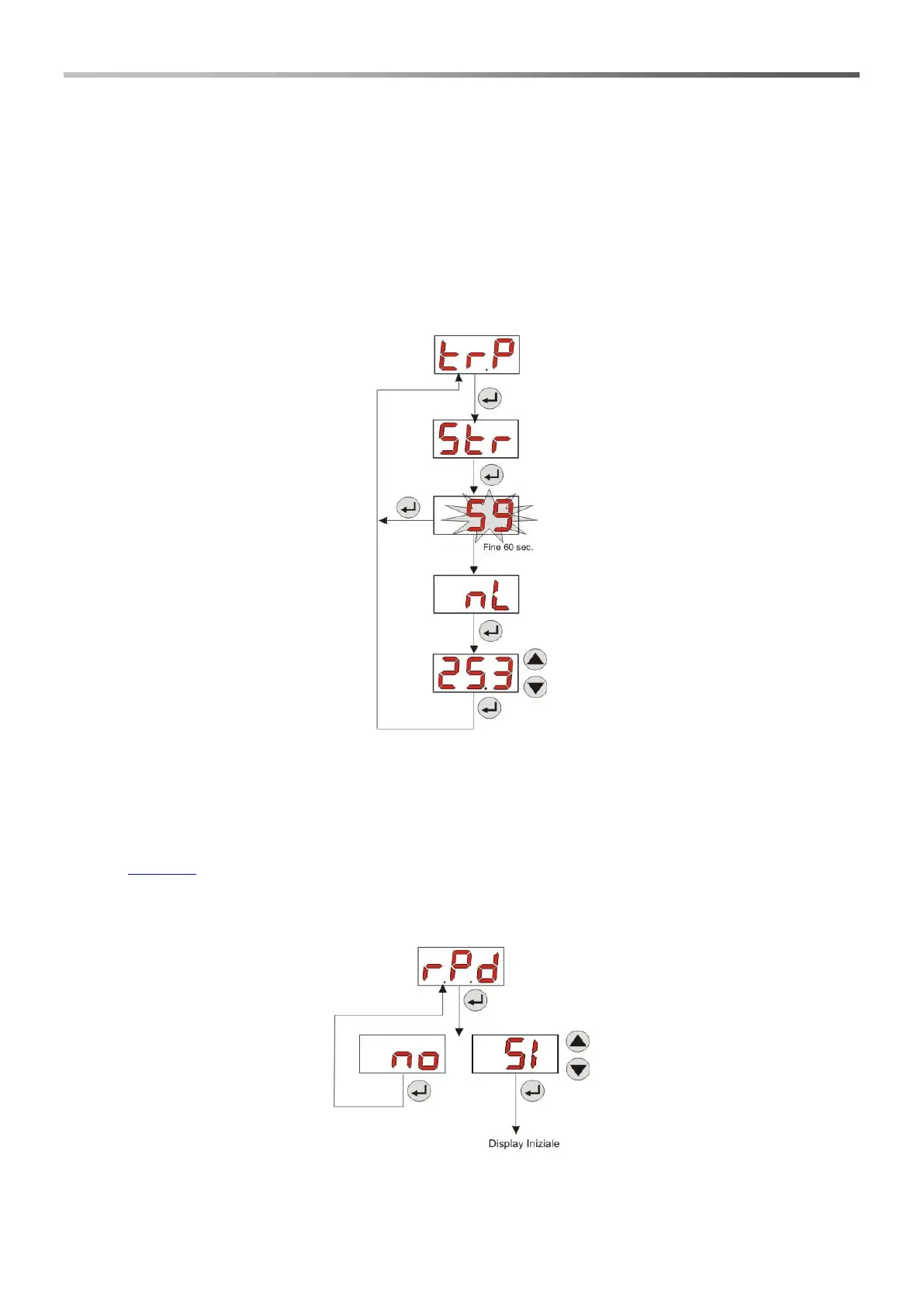
From the P.CA entry, you will be able to calibrate the pump for a fixed time of 60 seconds, thereby measuring the
amount of liquid dosed via a graduated container used as a reference: from the start label “Str”, launch the count
by pressing Enter and the pump will start dosing at top speed. Finally, just set the amount in ml (from 0 to 300).
Fig. 11- Pump Calibration Menu
3.3.5 Resetting Default Parameters
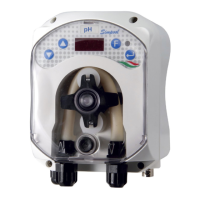
From the r.P.d entry you will be able to reset the equipment default parameters (refer to the Default Parameters
Table in ANNEX E); If you choose to reset the initial values, you will go back to the initial display. See Fig.
12
Once you confirm with YES, you cannot go back.
Fig. 12- Default parameter reset
3.3.6 Settings Menu
From the InP entry of the Programming Menu, via the Enter key, you can access the Settings Menu


 To Next Page