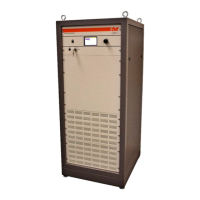
Model 25A250B
Rev A 21
4.3.1 Power On Indication Doesn’t Display on Front Panel Vacuum
Fluorescent Display (VFD) when POWER Switch is Depressed
(Schematic Diagram No. 10042820)
1. If the Model 25A250B is operating in an otherwise normal fashion, the front panel VFD or the wiring to
it could be defective.
2. Check the LOCAL/REMOTE switch on the unit’s front panel; it must be set to the LOCAL position in
order to operate the front panel POWER switch. Check the AC switch on the unit’s rear panel; it must be
set to the “1” (ON) position. Check the AC fuses in the power entry module.
3. If the POWER ON indication is not displayed and the cooling fan (Blower B1) is not running, check to
see that the unit is plugged into a live outlet and that the AC line cord is plugged securely into the unit.
4. Check the +5V housekeeping output voltage from PS1; this voltage should be as follows:
PS1, P7, Pin 1 + 5.0 ± 0.2VDC
5. If output voltage is not present on PS1, check the AC input to PS1.
6. Check the voltage to the A4 Control/Fault Board on connector J3; the voltages should be as follows:
J3, Pin 1 + 5.0 ± 0.2VDC
7. Check the voltage on A4 J1, Pin 9; it should be ≥3.3V when the POWER switch (S1) is in the normal
position and <0.1V when S1 is depressed. S1 is normally open; it is closed only when it is depressed.
The amplifier should change state every time the POWER switch is depressed.
8. If all voltages are correct and the unit still does not operate, contact AR to arrange for repair or
replacement of the A4 Control/Fault Board.



 To Next Page